




 Illustrator
 Photoshop
 InDesign
 Affinity
 CorelDRAW Go
 Pixelcut
 Lightroom
 Luminar Neo
-
Latest Version
Blender 5.2.0 (64-bit) LATEST
-
Review by
-
Operating System
Windows 8 (64-bit) / Windows 10 (64-bit) / Windows 11
-
User Rating
Click to vote -
Author / Product
-
Filename
blender-5.2.0-windows-x64.msi
-
MD5 Checksum
256571685338a4d58cf26ef00437655e
Blender 64-bit is a free and open-source 3D animation suite software. It supports the entirety of the 3D pipeline—modeling, rigging, animation, simulation, rendering, compositing and motion tracking, even video editing and game creation.
The latest open movie by Blender Studio
Blender is a powerful open-source 3D creation suite that encompasses a wide range of functionalities, from 3D modeling and sculpting to animation, rendering, compositing, video editing, and more. Developed by the Blender Foundation, this software is known for its versatility and robust feature set, making it a go-to tool for 3D artists, animators, game developers, and filmmakers. The app is available for FREE, which is a significant advantage considering the capabilities it offers.
Advanced users employ the tool’s API for Python scripting to customize the application and write specialized tools; often these are included in Blender’s future releases. The app is well suited to individuals and small studios who benefit from its unified pipeline and responsive development process.
Blender Studio 64-bit is cross-platform and runs equally well on Linux, Windows, and Macintosh computers. Its interface uses OpenGL to provide a consistent experience. It has no price tag, but you can invest, participate, and help to advance a powerful collaborative tool: The software is your own 3D software.
What`s New
Photorealistic Rendering
The tool now features a powerful new unbiased rendering engine called Cycles that offers stunning ultra-realistic rendering.
Fast Modelling
The app’s comprehensive array of modeling tools makes creating, transforming, and editing your models a breeze.
Realistic Materials
With the product’s new rendering engine, the possibilities for materials are endless.
Fast Rigging
Transforming a model into a poseable character has never been easier!
Animation toolset
Whether it’s simple keyframing or complex walk-cycles, the tool allows artists to turn their still characters into impressive animations.
Sculpting
Experience the joy of sculpting organic subjects using the built-in sculpting feature set of the program.
Fast UV Unwrapping
Easily unwrap your mesh right inside the app, and use image textures or paint your own directly onto the model.
Full Compositor
The software comes with a fully-fledged compositor built right in. That means no more exporting to third-party programs, you can do it all without leaving the program.
Amazing Simulations
Whether you need a crumbling building, rain, fire, smoke, fluid, cloth, or full-on destruction, the app delivers great-looking results.
Game Creation
Included in the app is a complete game engine, allowing you to create a fully-featured 3d game right inside the app.
Camera and Object tracking
The software now includes a production-ready camera and object tracking. Allowing you to import raw footage, track the footage, mask areas, and see the camera movements live in your 3d scene. Eliminating the need to switch between programs.
Library of Extensions
With a large community of enthusiasts and developers, the program comes loaded with a vast array of extensions that you can turn on or off easily.
Flexible Interface
Novice and advanced users will love the ability to customize their layout completely. From simply splitting their viewport, to fully customizing it with Python scripting, the tool works for you.
File Formats
The app comes packed with import/export support for many different programs. Image: JPEG, JPEG2000, PNG, TARGA, OpenEXR, DPX, Cineon, Radiance HDR, SGI Iris, TIFF. Video: AVI, MPEG, and Quicktime (on OSX). 3D: 3D Studio (3DS), COLLADA (DAE), Filmbox (FBX), Autodesk (DXF), Wavefront (OBJ), DirectX (x), Lightwave (LWO), Motion Capture (BVH), SVG, Stanford PLY, STL, VRML, VRML97, X3D.

Key Features
3D Modeling: Create intricate 3D models using a wide range of modeling tools, including sculpting, polygonal modeling, and NURBS modeling.
Sculpting: Sculpt high-detail organic shapes and characters with dynamic topology and brushes.
Animation: Animate objects, characters, and cameras with a powerful and intuitive animation system, including rigging and keyframing.
Rendering: It offers advanced rendering engines, including Cycles and Eevee, that produce stunning visual results with realistic lighting and materials.
Video Editing: Seamlessly edit video footage within the same software, complete with effects, transitions, and audio mixing.
Simulation: Create simulations for smoke, fire, fluids, and more, enabling realistic physics-based animations.
VFX and Compositing: Blend 3D elements with live-action footage using a node-based compositing system.
Scripting and Add-ons: Extend Blender's capabilities through scripting with Python and a vast library of community-created add-ons.
UV Unwrapping: Efficiently unwrap 3D models for texturing and painting.
Game Development: Develop interactive 3D games using the built-in game engine.

There are more improvements
Installing the program is straightforward. Users can download it for Windows, macOS, or Linux from the official website. Blender's installation package is relatively small, and setup is a breeze. It doesn't require any complex configurations, making it accessible to users of all skill levels.

How to Use
Using the program effectively involves a learning curve, but there are extensive learning resources available online, including tutorials, documentation, and a dedicated community.
Here's a basic overview of how to use the app:
Navigation: Learn how to navigate the 3D viewport using the mouse and keyboard shortcuts.
Modeling: Start with basic shapes and progress to more complex models using various modeling tools.
Animation: Animate objects by setting keyframes and using the animation timeline.
Rendering: Configure render settings and use Cycles or Eevee for rendering.
Video Editing: Import video clips, arrange them on the timeline and apply effects and transitions.
FAQ
Is Blender really FREE?
Yes, Blender is open-source software and completely free to use for both personal and commercial purposes.
Can Blender be used for professional work?
Absolutely. The program is widely used in the industry for everything from 3D modeling to visual effects and animation production.
What are the system requirements for Blender?
The software is relatively lightweight. It runs well on most modern computers with at least a dual-core CPU, 4GB of RAM, and a compatible graphics card.
Are there any official Blender training resources?
Yes, it offers extensive official documentation, tutorials, and a vibrant community where you can seek help and guidance.
Can I export Blender files to other 3D software formats?
Yes, it supports various file formats for import and export, ensuring compatibility with other 3D software.

Alternatives
Cinema 4D: Known for its user-friendly interface, Cinema 4D excels in motion graphics and 3D animation.
3ds Max: Another Autodesk product, 3ds Max is widely used in architecture, engineering, and game development.
Houdini: A powerful procedural 3D software, favored by visual effects artists for complex simulations and dynamics.
ZBrush: Focused on digital sculpting and character creation, ZBrush is indispensable for artists who need intricate organic models.
Pricing
The app is FREE and open-source, which means it doesn't cost anything to download, use, or distribute. This is a significant advantage compared to many other 3D software solutions that can be quite expensive.
System Requirements
Minimum
Always make sure to install the latest drivers from the graphics card manufacturer website. These requirements are for basic operation, Cycles rendering using the GPU has higher requirements.
NVIDIA: GeForce 400 and newer, Quadro Tesla GPU architecture and newer, including RTX-based cards, with NVIDIA drivers.
AMD: GCN 1st gen and newer. Since Blender 2.91, Terascale 2 architecture is fully deprecated, try using Blender 2.90 (albeit not supported, it might still work).
Note: Since Blender 2.93 LTS Windows 7 is no longer supported. Microsoft discontinued Windows 7 support in January 2020.
PROS
Blender is a remarkable 3D creation suite that punches well above its weight, considering it's free and open-source. Its wide range of features, robust community, and extensive documentation make it a valuable tool for 3D artists, animators, and content creators of all kinds.
While the learning curve may be a bit steep, the rewards in terms of creative possibilities and cost savings are well worth the investment. Whether you're a hobbyist or a professional, it deserves a place in your toolkit for 3D content creation.
Also Available: Blender (32-bit), Blender for Mac and Blender Portable
The latest open movie by Blender Studio
Blender is a powerful open-source 3D creation suite that encompasses a wide range of functionalities, from 3D modeling and sculpting to animation, rendering, compositing, video editing, and more. Developed by the Blender Foundation, this software is known for its versatility and robust feature set, making it a go-to tool for 3D artists, animators, game developers, and filmmakers. The app is available for FREE, which is a significant advantage considering the capabilities it offers.
Advanced users employ the tool’s API for Python scripting to customize the application and write specialized tools; often these are included in Blender’s future releases. The app is well suited to individuals and small studios who benefit from its unified pipeline and responsive development process.
Blender Studio 64-bit is cross-platform and runs equally well on Linux, Windows, and Macintosh computers. Its interface uses OpenGL to provide a consistent experience. It has no price tag, but you can invest, participate, and help to advance a powerful collaborative tool: The software is your own 3D software.
What`s New
- Improved Eevee and Cycles rendering performance with better GPU optimization.
- Enhanced Geometry Nodes with expanded procedural modeling tools.
- Upgraded sculpting tools with smoother brush performance.
- Improved real-time viewport performance for complex scenes.
- Enhanced animation workflow with refined keyframe controls.
- Better USD and FBX import/export compatibility.
- Improved video sequence editor stability and playback speed.
- Refined user interface with workflow-focused adjustments.
- Enhanced physics simulations with more accurate calculations.
- Bug fixes and overall stability improvements across platforms.
Photorealistic Rendering
The tool now features a powerful new unbiased rendering engine called Cycles that offers stunning ultra-realistic rendering.
Fast Modelling
The app’s comprehensive array of modeling tools makes creating, transforming, and editing your models a breeze.
Realistic Materials
With the product’s new rendering engine, the possibilities for materials are endless.
Fast Rigging
Transforming a model into a poseable character has never been easier!
Animation toolset
Whether it’s simple keyframing or complex walk-cycles, the tool allows artists to turn their still characters into impressive animations.
Sculpting
Experience the joy of sculpting organic subjects using the built-in sculpting feature set of the program.
Fast UV Unwrapping
Easily unwrap your mesh right inside the app, and use image textures or paint your own directly onto the model.
Full Compositor
The software comes with a fully-fledged compositor built right in. That means no more exporting to third-party programs, you can do it all without leaving the program.
Amazing Simulations
Whether you need a crumbling building, rain, fire, smoke, fluid, cloth, or full-on destruction, the app delivers great-looking results.
Game Creation
Included in the app is a complete game engine, allowing you to create a fully-featured 3d game right inside the app.
Camera and Object tracking
The software now includes a production-ready camera and object tracking. Allowing you to import raw footage, track the footage, mask areas, and see the camera movements live in your 3d scene. Eliminating the need to switch between programs.
Library of Extensions
With a large community of enthusiasts and developers, the program comes loaded with a vast array of extensions that you can turn on or off easily.
Flexible Interface
Novice and advanced users will love the ability to customize their layout completely. From simply splitting their viewport, to fully customizing it with Python scripting, the tool works for you.
File Formats
The app comes packed with import/export support for many different programs. Image: JPEG, JPEG2000, PNG, TARGA, OpenEXR, DPX, Cineon, Radiance HDR, SGI Iris, TIFF. Video: AVI, MPEG, and Quicktime (on OSX). 3D: 3D Studio (3DS), COLLADA (DAE), Filmbox (FBX), Autodesk (DXF), Wavefront (OBJ), DirectX (x), Lightwave (LWO), Motion Capture (BVH), SVG, Stanford PLY, STL, VRML, VRML97, X3D.
Key Features
3D Modeling: Create intricate 3D models using a wide range of modeling tools, including sculpting, polygonal modeling, and NURBS modeling.
Sculpting: Sculpt high-detail organic shapes and characters with dynamic topology and brushes.
Animation: Animate objects, characters, and cameras with a powerful and intuitive animation system, including rigging and keyframing.
Rendering: It offers advanced rendering engines, including Cycles and Eevee, that produce stunning visual results with realistic lighting and materials.
Video Editing: Seamlessly edit video footage within the same software, complete with effects, transitions, and audio mixing.
Simulation: Create simulations for smoke, fire, fluids, and more, enabling realistic physics-based animations.
VFX and Compositing: Blend 3D elements with live-action footage using a node-based compositing system.
Scripting and Add-ons: Extend Blender's capabilities through scripting with Python and a vast library of community-created add-ons.
UV Unwrapping: Efficiently unwrap 3D models for texturing and painting.
Game Development: Develop interactive 3D games using the built-in game engine.
There are more improvements
- New Retopology overlay
- FBX: Faster import/export
- FBX: Export active color layer first
- New add-on: 3DS import/export
- New C++-based PLY importer/exporter
- Faster object linking and unlinking
- Support for more nodes and features
- Support for sub-types in float custom properties
- Quick tooltips for Properties Editor tabs
- Cancel drag & drop with Esc/RMB
- Custom subtypes for group sockets
- Highlight list elements on hover
- Widen search boxes when needed
- VDM Brush Baker
- Increased length of Open Recent menu
- New emojis in fallback font
- Fixed Color Picker position
- Alt-click support to edit multiple string properties
- Better positioning of text in Measure/Ruler
- Quick Favorites: Support operator enums
- Many operator confirmations can now be disabled
- Set Proportional Size in the Proportional Editing popover
- New: Transparent Pass
- Major improvements to the resyncing process
- Custom Script Directories
- Adjust the Last Operation panel in Mesh/Color Filters
- List mode items can now be dragged by the name
- Auto-focus child windows on hover
Installing the program is straightforward. Users can download it for Windows, macOS, or Linux from the official website. Blender's installation package is relatively small, and setup is a breeze. It doesn't require any complex configurations, making it accessible to users of all skill levels.
How to Use
Using the program effectively involves a learning curve, but there are extensive learning resources available online, including tutorials, documentation, and a dedicated community.
Here's a basic overview of how to use the app:
Navigation: Learn how to navigate the 3D viewport using the mouse and keyboard shortcuts.
Modeling: Start with basic shapes and progress to more complex models using various modeling tools.
Animation: Animate objects by setting keyframes and using the animation timeline.
Rendering: Configure render settings and use Cycles or Eevee for rendering.
Video Editing: Import video clips, arrange them on the timeline and apply effects and transitions.
FAQ
Is Blender really FREE?
Yes, Blender is open-source software and completely free to use for both personal and commercial purposes.
Can Blender be used for professional work?
Absolutely. The program is widely used in the industry for everything from 3D modeling to visual effects and animation production.
What are the system requirements for Blender?
The software is relatively lightweight. It runs well on most modern computers with at least a dual-core CPU, 4GB of RAM, and a compatible graphics card.
Are there any official Blender training resources?
Yes, it offers extensive official documentation, tutorials, and a vibrant community where you can seek help and guidance.
Can I export Blender files to other 3D software formats?
Yes, it supports various file formats for import and export, ensuring compatibility with other 3D software.
Alternatives
Cinema 4D: Known for its user-friendly interface, Cinema 4D excels in motion graphics and 3D animation.
3ds Max: Another Autodesk product, 3ds Max is widely used in architecture, engineering, and game development.
Houdini: A powerful procedural 3D software, favored by visual effects artists for complex simulations and dynamics.
ZBrush: Focused on digital sculpting and character creation, ZBrush is indispensable for artists who need intricate organic models.
Pricing
The app is FREE and open-source, which means it doesn't cost anything to download, use, or distribute. This is a significant advantage compared to many other 3D software solutions that can be quite expensive.
System Requirements
Minimum
- Windows 8, 10 or 11
- 64-bit quad-core CPU with SSE2 support
- 8 GB RAM
- 1920×1080 Full HD display
- Mouse, trackpad, or pen+tablet
- 2 GB VRAM Graphics Card that supports OpenGL 4.3
- Windows 8, 10 or 11
- 64-bit eight-core CPU
- 32 GB RAM
- 2560×1440 display
- Three-button mouse or pen+tablet
- 8 GB VRAM Graphics Card
Always make sure to install the latest drivers from the graphics card manufacturer website. These requirements are for basic operation, Cycles rendering using the GPU has higher requirements.
NVIDIA: GeForce 400 and newer, Quadro Tesla GPU architecture and newer, including RTX-based cards, with NVIDIA drivers.
AMD: GCN 1st gen and newer. Since Blender 2.91, Terascale 2 architecture is fully deprecated, try using Blender 2.90 (albeit not supported, it might still work).
Note: Since Blender 2.93 LTS Windows 7 is no longer supported. Microsoft discontinued Windows 7 support in January 2020.
PROS
- Powerful and versatile 3D creation suite.
- Extensive feature set for modeling, animation, rendering, and more.
- Active community and wealth of learning resources.
- Open-source and free of charge.
- Cross-platform support.
- Steeper learning curve, especially for beginners.
- User interface may seem overwhelming initially.
- Less industry-standard than some paid alternatives.
Blender is a remarkable 3D creation suite that punches well above its weight, considering it's free and open-source. Its wide range of features, robust community, and extensive documentation make it a valuable tool for 3D artists, animators, and content creators of all kinds.
While the learning curve may be a bit steep, the rewards in terms of creative possibilities and cost savings are well worth the investment. Whether you're a hobbyist or a professional, it deserves a place in your toolkit for 3D content creation.
Also Available: Blender (32-bit), Blender for Mac and Blender Portable
Why is this app published on FileHorse? (More info)
-
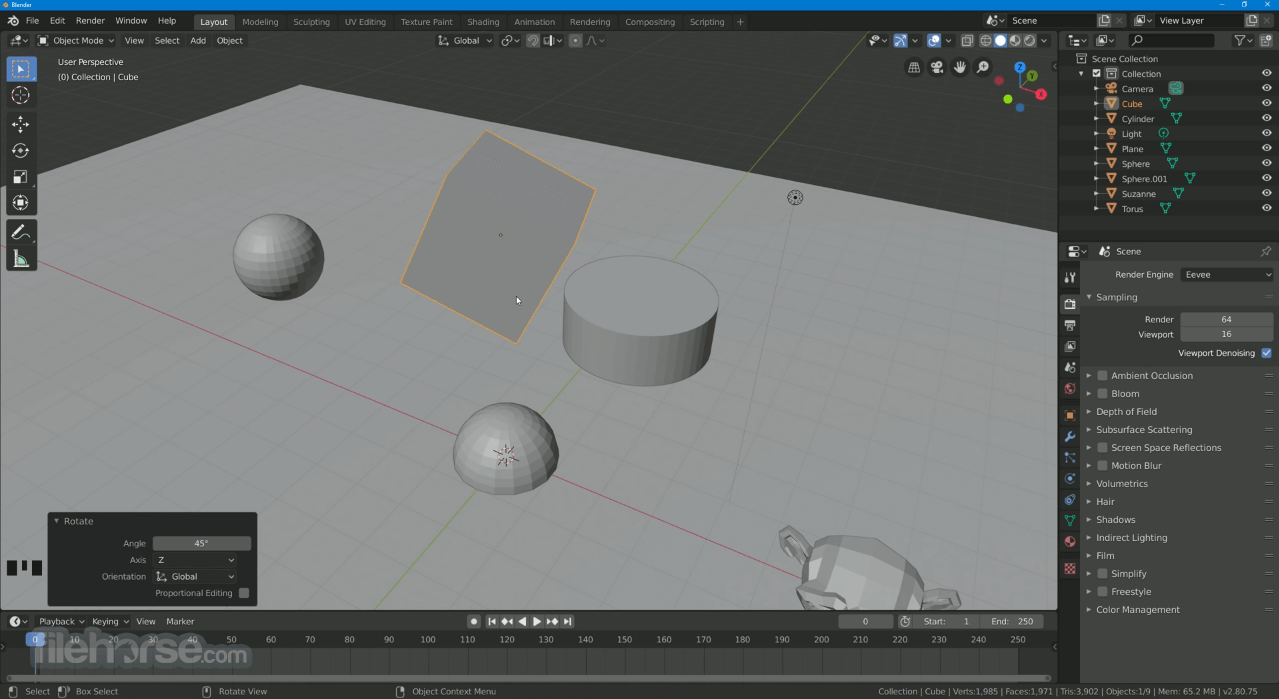
Blender 5.2.0 (64-bit) Screenshots
The images below have been resized. Click on them to view the screenshots in full size.
-
-
-
-
 OperaOpera 135.0 Build 5973.133 (64-bit)
 LDPlayerLDPlayer - Android Emulator
 Adobe AcrobatAdobe Acrobat Pro 2026.002.21901
 MalwarebytesMalwarebytes Premium 5.7.0
 Premiere ProAdobe Premiere Pro CC 2026 26.5
 CapCutCapCut Desktop 9.3.0
 PC RepairPC Repair Tool 2026
 Hero WarsHero Wars - Online Action Game
 TradingViewTradingView - Trusted by 100 Million Traders
 WARDOGSWARDOGS - All Out Warfare FPS
Comments and User Reviews