




 The Blood
 STAR WARS
 Mortal Shell
 WoT: HEAT
 World of Tanks
 NBA 2K27
-
Latest Version
MapleStory: Idle RPG for PC LATEST
-
Review by
-
Operating System
Windows 10 / Windows 11
-
User Rating
Click to vote -
Author / Product
MapleStory: Idle RPG for PC is a free-to-play fantasy role-playing game from NEXON and Able Games.
It adapts the colorful Maple World into an accessible idle experience where characters continue battling, collecting resources, and gaining power with limited player input.

The familiar side-scrolling presentation, charming monsters, recognizable locations, and extensive character customization preserve much of MapleStory's identity.
However, the traditional MMORPG grind has been replaced by automatic combat and streamlined progression. Players strengthen equipment, unlock skills, recruit Companions, challenge bosses, enter growth dungeons, and compete in PvP.
There is no conventional native Windows release, but the Android edition of MapleStory: Idle RPG works on PC through LDPlayer or Google Play Games for PC.
Playing on a larger display makes equipment management and longer idle sessions more comfortable.
Main Features
The interface is bright, colorful, and faithful to the franchise's playful pixel-art style.
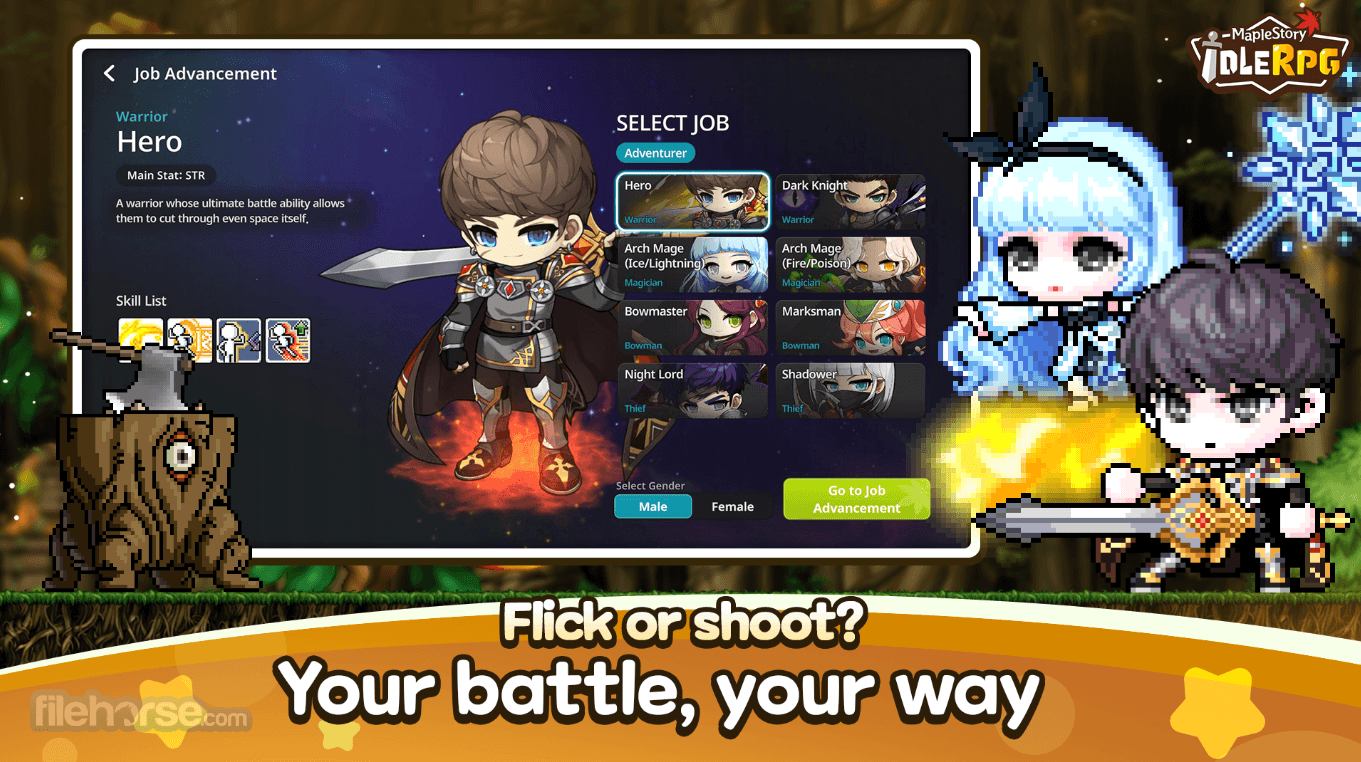
Important combat statistics and upgrade shortcuts are always accessible, although the number of currencies, rewards, event banners, and enhancement menus can initially feel overwhelming.
Mouse control works naturally on PC. LDPlayer also supports keyboard mapping, macros, multiple instances, and high frame rates, although performance depends on the computer and emulator configuration.
Installation and Setup

How to Play
Is MapleStory: Idle RPG free?
Yes. It is free to download but contains advertisements and optional purchases, including randomized items.
Can it be played directly on Windows?
It requires Google Play Games for PC or a compatible Android emulator such as LDPlayer.
Does progress continue offline?
Yes. The character keeps generating progression resources while the game is closed.
Can progress synchronize between devices?
Yes, provided the same properly bound account is used on supported devices.
Is this the same as the original MapleStory?
No. It uses the same universe but emphasizes automatic combat and simplified progression.
Alternatives
MapleStory M - A more traditional mobile MMORPG adaptation.
Slayer Legend - Fast-paced idle progression with extensive equipment upgrades.
Idle MoonRabbit - Colorful AFK combat with collectible abilities.
CookieRun: Kingdom - Character collection combined with kingdom management.
Seven Knights Re:BIRTH - Team-based RPG focused on collecting and developing heroes.
Pricing
Optional Content: In-game purchases with prices varying by package and region.
System Requirements
PROS
MapleStory: Idle RPG for PC successfully transforms the familiar fantasy universe into a convenient automatic RPG.
Its cheerful visuals, constant rewards, Companion system, and accessible progression suit casual players especially well.
Repetitive gameplay and aggressive monetization reduce its depth, but it remains an enjoyable choice for short daily sessions on Windows PC.
It adapts the colorful Maple World into an accessible idle experience where characters continue battling, collecting resources, and gaining power with limited player input.
The familiar side-scrolling presentation, charming monsters, recognizable locations, and extensive character customization preserve much of MapleStory's identity.
However, the traditional MMORPG grind has been replaced by automatic combat and streamlined progression. Players strengthen equipment, unlock skills, recruit Companions, challenge bosses, enter growth dungeons, and compete in PvP.
There is no conventional native Windows release, but the Android edition of MapleStory: Idle RPG works on PC through LDPlayer or Google Play Games for PC.
Playing on a larger display makes equipment management and longer idle sessions more comfortable.
Main Features
- Auto Battle: Characters continuously fight enemies and earn resources.
- Offline Growth: Progress continues while the player is away.
- Companion System: Recruit different companions to customize your combat strategy.
- Character Development: Improve stats, skills, equipment, and overall combat power.
- Growth Dungeons: Study boss patterns and complete specialized challenges.
- PvP Arena: Compete against other developed characters for rewards and rankings.
- Boss Raids: Face powerful enemies, including the Pink Bean raid boss.
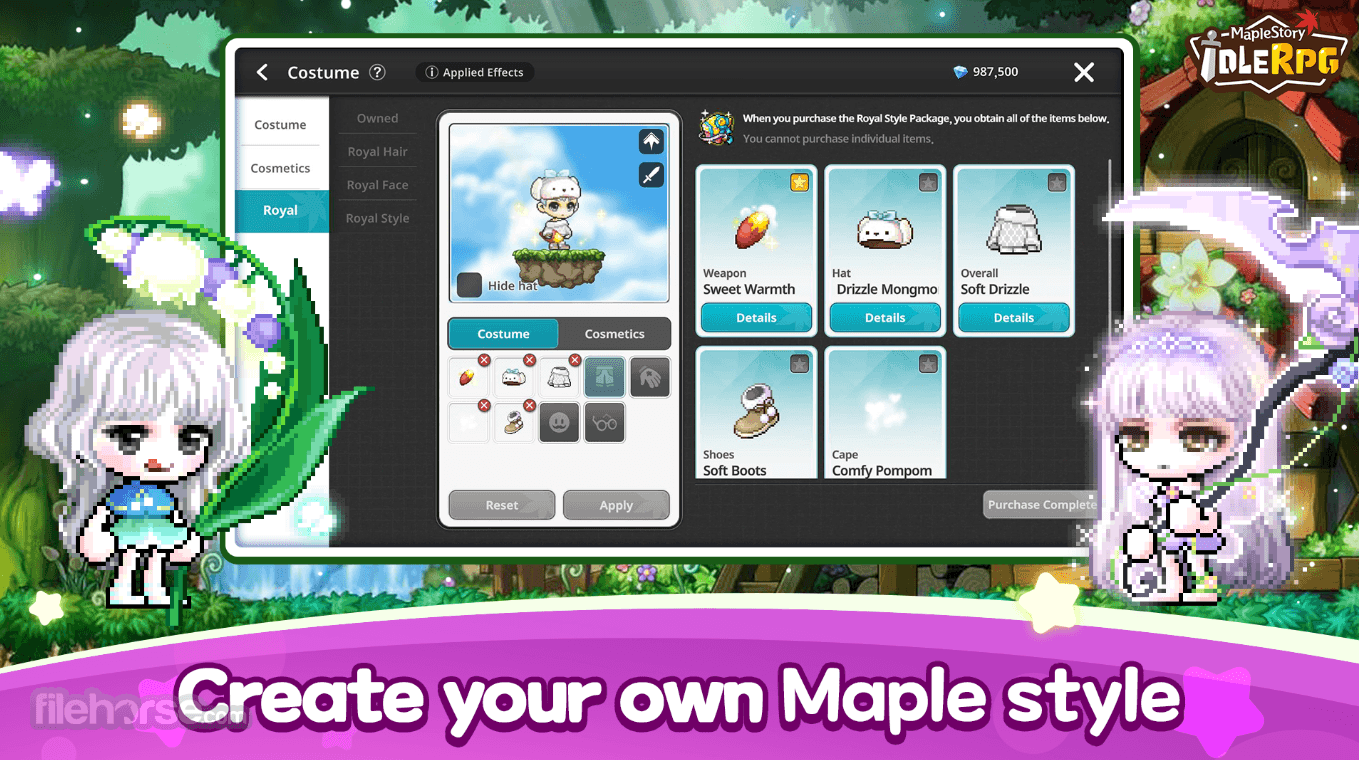
- Fashion Items: Personalize characters with cute costumes and accessories.
- Classic Maple World: Revisit familiar monsters, environments, and visual themes.
The interface is bright, colorful, and faithful to the franchise's playful pixel-art style.
Important combat statistics and upgrade shortcuts are always accessible, although the number of currencies, rewards, event banners, and enhancement menus can initially feel overwhelming.
Mouse control works naturally on PC. LDPlayer also supports keyboard mapping, macros, multiple instances, and high frame rates, although performance depends on the computer and emulator configuration.
Installation and Setup
- LDPlayer Method: Download and install LDPlayer 9 from FileHorse, open its Play Store, sign in, search for the game, and select Install.
- Google Method: Install Google Play Games for PC, sign in with a personal Google account, find the game, and click Install.
- Account Setup: Log in or bind the game account to protect and synchronize progress.
- Performance Setup: Enable hardware virtualization and adjust resolution, allocated memory, and frame rate when necessary.
How to Play
- Step 1: Create a character and complete the introductory tutorial.
- Step 2: Allow automatic combat to clear early stages and collect experience.
- Step 3: Claim idle rewards whenever you return.
- Step 4: Upgrade equipment, character statistics, and combat skills.
- Step 5: Recruit and develop Companions that complement your build.
- Step 6: Enter growth dungeons and learn each boss's attack pattern.
- Step 7: Participate in events, raids, and PvP for additional rewards.
Is MapleStory: Idle RPG free?
Yes. It is free to download but contains advertisements and optional purchases, including randomized items.
Can it be played directly on Windows?
It requires Google Play Games for PC or a compatible Android emulator such as LDPlayer.
Does progress continue offline?
Yes. The character keeps generating progression resources while the game is closed.
Can progress synchronize between devices?
Yes, provided the same properly bound account is used on supported devices.
Is this the same as the original MapleStory?
No. It uses the same universe but emphasizes automatic combat and simplified progression.
Alternatives
MapleStory M - A more traditional mobile MMORPG adaptation.
Slayer Legend - Fast-paced idle progression with extensive equipment upgrades.
Idle MoonRabbit - Colorful AFK combat with collectible abilities.
CookieRun: Kingdom - Character collection combined with kingdom management.
Seven Knights Re:BIRTH - Team-based RPG focused on collecting and developing heroes.
Pricing
Optional Content: In-game purchases with prices varying by package and region.
System Requirements
- Operating System: Windows 10 or Windows 11.
- Processor: Four physical CPU cores or better.
- Memory: 8 GB RAM.
- Graphics: Intel UHD Graphics 630 or comparable.
- Storage: SSD with at least 10 GB of available space.
- Additional: Administrator account and hardware virtualization enabled.
- Internet: Stable broadband connection required.
PROS
- Charming and recognizable MapleStory presentation.
- Progress continues during inactive periods.
- Simple automatic combat system.
- Numerous character upgrades.
- Entertaining bosses and growth dungeons.
- Extensive cosmetic customization.
- Comfortable big-screen PC experience.
- Numerous currencies can confuse beginners.
- Frequent purchase prompts.
- Includes randomized paid items.
- Limited direct control during combat.
- Competitive modes may favor paying players.
- Emulator performance varies between PCs.
MapleStory: Idle RPG for PC successfully transforms the familiar fantasy universe into a convenient automatic RPG.
Its cheerful visuals, constant rewards, Companion system, and accessible progression suit casual players especially well.
Repetitive gameplay and aggressive monetization reduce its depth, but it remains an enjoyable choice for short daily sessions on Windows PC.
Why is this app published on FileHorse? (More info)
-
MapleStory: Idle RPG for PC Screenshots
The images below have been resized. Click on them to view the screenshots in full size.
-
-
-
 OperaOpera 135.0 Build 5973.133 (64-bit)
 LDPlayerLDPlayer - Android Emulator
 Adobe AcrobatAdobe Acrobat Pro 2026.002.21901
 MalwarebytesMalwarebytes Premium 5.7.0
 Premiere ProAdobe Premiere Pro CC 2026 26.5
 CapCutCapCut Desktop 9.3.0
 PC RepairPC Repair Tool 2026
 Hero WarsHero Wars - Online Action Game
 TradingViewTradingView - Trusted by 100 Million Traders
 WARDOGSWARDOGS - All Out Warfare FPS
Comments and User Reviews