




 Dreamweaver
 Instapage
 Portfolio
 10Web
10Web Access
 dbForge Studio
 SQL Server
 Antigravity
-
Latest Version
MATLAB R2026a LATEST
-
Review by
-
Operating System
Windows 7 64 / Windows 8 64 / Windows 10 64 / Windows 11
-
User Rating
Click to vote -
Author / Product
-
Filename
MATLAB_Runtime_R2026a_win64.zip
It includes the Live Editor for creating scripts that combine code, output, and formatted text in an executable notebook. Whether you’re analyzing data, developing algorithms, or creating models, MATLAB is designed for the way you think and the work you do.
MATLAB toolboxes are professionally developed, rigorously tested, and fully documented. The app lets you see how different algorithms work with your data.
Iterate until you’ve got the results you want, then automatically generate a MAT LAB for Windows program to reproduce or automate your work.
Scale your analyses to run on clusters, GPUs, and clouds with only minor code changes. There’s no need to rewrite your code or learn big data programming and out-of-memory techniques.
MATLAB code is production-ready, so you can go directly to your cloud and enterprise systems, and integrate with data sources and business systems. Automatically convert algorithms to C/C++, HDL, and CUDA code to run on your embedded processor or FPGA/ASIC.
It works with Simulink to support Model-Based Design, which is used for multidomain simulation, automatic code generation, and test and verification of embedded systems.
Bring your ideas from research to production
Deploy to Enterprise Applications
MATLAB code is ready for production, allowing you to seamlessly integrate it into your cloud and enterprise systems. It can easily connect with data sources and business systems, ensuring smooth integration.
Run on Embedded Devices
Convert your algorithms to C/C++, HDL, or CUDA code automatically. This enables you to run your algorithms efficiently on embedded processors or FPGA/ASIC platforms, extending the reach of your applications.
Integrate with Model-Based Design
It seamlessly integrates with Simulink to support Model-Based Design. This approach facilitates multidomain simulation, automatic code generation, and comprehensive testing and verification of embedded systems. By leveraging Simulink's capabilities, you can streamline your development process and ensure the reliability of your embedded systems.
Capabilities
Data Analysis: It provides tools to explore, model, and analyze data efficiently.
Graphics: It offers features to visualize and explore data, allowing users to create informative and visually appealing plots and charts.
Programming: Users can write scripts, functions, and classes in the app, enabling them to develop complex algorithms and applications.
App Building: It allows users to create desktop and web applications with a user-friendly interface for interactive data analysis and visualization.
External Language Interfaces: The software seamlessly integrates with other programming languages such as Python, C/C++, Fortran, Java, and more, enabling users to leverage their existing code and libraries.
Hardware Integration: It provides capabilities to connect and communicate with hardware devices, allowing users to interface with sensors, actuators, and other external devices.
Parallel Computing: The app enables users to perform large-scale computations and parallelize simulations using multicore desktops, GPUs (Graphics Processing Units), clusters, and cloud computing resources.
Web and Desktop Deployment: The program allows users to share their MATLAB programs easily with others by creating standalone executables, web applications, or integrating with other software systems.
MATLAB in the Cloud: Users can run MATLAB in cloud environments, including MathWorks Cloud, as well as popular public clouds such as AWS (Amazon Web Services) and Azure (Microsoft Azure), providing flexibility and scalability for computation and collaboration.
Highlights
- High-level language for scientific and engineering computing
- Desktop environment tuned for iterative exploration, design, and problem-solving
- Graphics for visualizing data and tools for creating custom plots
- Apps for curve fitting, data classification, signal analysis, and many other domain-specific tasks
- Add-on toolboxes for a wide range of engineering and scientific applications
- Tools for building applications with custom user interfaces
- Interfaces to C/C++, Java, .NET, Python, SQL, Hadoop, and Microsoft Excel
- Royalty-free deployment options for sharing programs with end-users
Control Systems
Design, test, and implement control systems for various applications.
Deep Learning
Prepare data, design neural networks, simulate models, and deploy deep learning solutions.
Image Processing and Computer Vision
Acquire, process, and analyze images and video for algorithm development and system design.
Space Systems
Develop software for space systems, including control, communication, and data analysis.
Machine Learning
Train models, fine-tune parameters, and deploy machine learning solutions for production or edge devices.
Predictive Maintenance
Create and deploy software for condition monitoring and predictive maintenance in industrial settings.
Robotics
Transform robotics ideas and concepts into autonomous systems that seamlessly operate in real-world environments.
Signal Processing
Analyze signals and time-series data, model and simulate signal processing systems.
Test and Measurement
Acquire, analyze, and explore data while automating tests and measurements.
Wireless Communications
Create, design, test, and verify wireless communications systems using the app.
User Interface
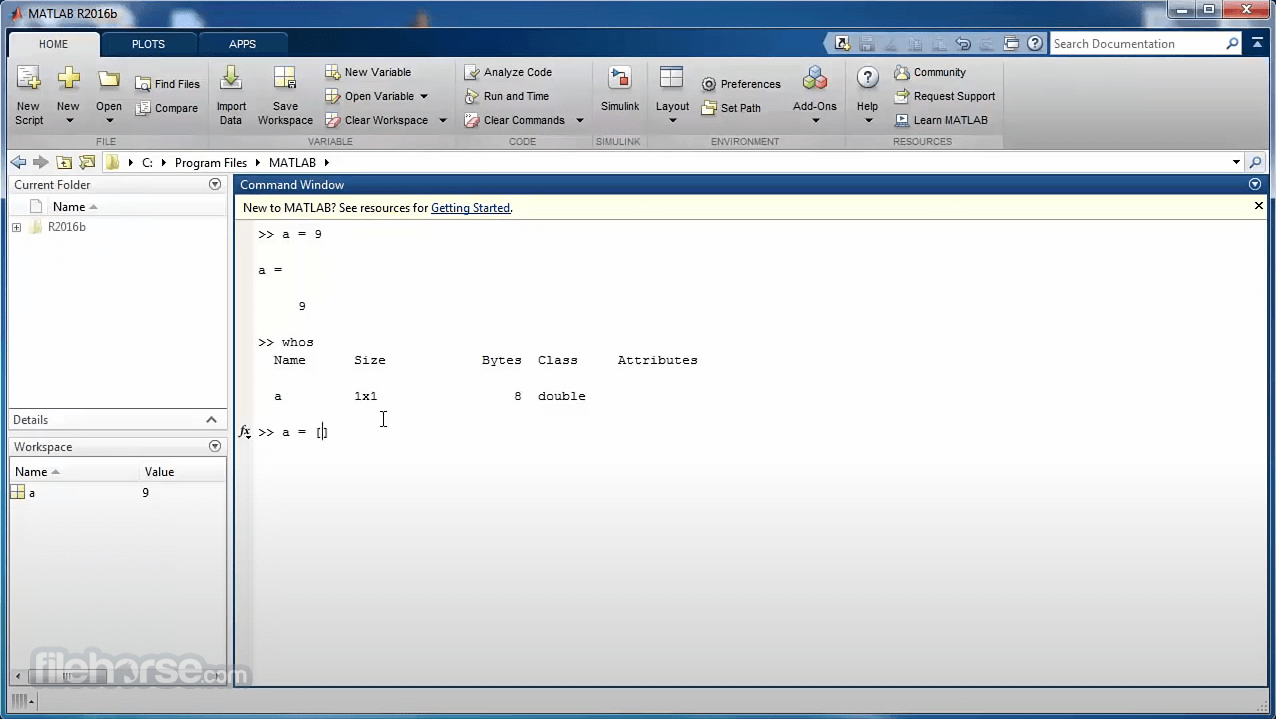
It features a user-friendly interface that consists of multiple windows and panels. The main window provides access to the command window, editor, workspace, and other essential components. The interface is highly customizable, allowing users to arrange and dock panels according to their preferences. MATLAB's syntax highlighting and auto-complete features enhance the programming experience, enabling users to write code efficiently.
How to Use
Data Analysis: It provides a comprehensive set of functions for data manipulation, exploration, and analysis. Users can import data from various file formats, apply statistical methods, and visualize the results using built-in plotting functions.
Algorithm Development: MATLAB's interactive environment makes it easy to develop and test algorithms. Users can write code in the MATLAB language, leverage built-in functions, and iterate quickly to refine their algorithms.
Simulation and Modeling: MATLAB's simulation capabilities enable users to model and simulate complex systems. By defining system parameters and using mathematical models, users can analyze system behavior and make informed decisions.
Application Development: It allows users to create standalone applications using the App Designer tool. With drag-and-drop functionality and built-in templates, users can develop custom graphical user interfaces (GUIs) for their applications.
Collaboration and Sharing: It supports collaboration through the MATLAB Online platform, allowing users to work on projects together and share code, scripts, and visualizations.
What's New
- Introducing the pivot function (R2023a) for creating pivot tables to summarize tabular data.
- Use the trenddecomp function (R2021b) to decompose data into long-term and seasonal trends.
- Import various types of data in live scripts (R2023a) with the Import Data feature.
- Compute by Group (R2021b) to summarize, transform, and filter groups of data, and Normalize Data (R2021b) to center and scale data.
- Create Plot (R2021a) for visualizing and exploring your data.
- Preprocess and organize column-oriented data using the Data Cleaner app (R2022a).
- Discover and connect to hardware from the program using the Hardware Manager app (R2022a).
- Use the Code Compatibility Analyzer app (R2022a) to identify and address compatibility issues against the current version of MATLAB.
- Find and fix code issues interactively with the Code Analyzer app or programmatically using the fix function (R2023a).
- Run tests and view results using the Test Browser app (R2023a).
- Use the build tool (R2022b) for creating and running software-build tasks efficiently.
- Create graphical class diagrams with the Class Diagram Viewer tool (R2021a) to explore class hierarchy and details.
- Convert between the app datetime and duration types and their corresponding types in Python and NumPy (R2023a).
- Pass NumPy arrays directly to the functions (R2022b).
- Use name=value syntax to pass keyword arguments to Python functions (R2022a).
- View and edit Python files with syntax highlighting, auto-indenting, and delimiter matching (R2022a).
- Run Python commands (pyrun) and scripts (pyrunfile) from the app (R2021b).
Q: How much does MATLAB cost?
A: It offers various pricing options depending on the type of license and intended usage. The pricing details can be found on the MathWorks website.
Q: Can MATLAB interface with other programming languages?
A: Yes, it supports integration with other programming languages such as C, C++, Java, and Python, allowing users to leverage existing code and libraries.
Q: Is MATLAB suitable for machine learning and deep learning tasks?
A: Absolutely. It provides a comprehensive set of tools for machine learning and deep learning, including prebuilt models, algorithms, and visualization capabilities.
Q: Does MATLAB support parallel computing?
A: Yes, it offers parallel computing capabilities, allowing users to leverage multiple processors or clusters for faster execution of computationally intensive tasks.
Q: Can I use MATLAB for real-time applications?
A: It provides Simulink, a graphical environment for modeling, simulating, and analyzing dynamic systems. Simulink is widely used for real-time applications, including control systems and robotics.
Alternatives
While MATLAB is a powerful tool, there are alternative software options available in the market, each with its own strengths and focus areas. Some popular alternatives to the app include:
- Python - with scientific libraries (NumPy, SciPy, Pandas, etc.)
- R programming language
- Julia
- GNU Octave
- Mathematica
MATLAB's pricing varies based on the type of license and intended usage. MathWorks offers flexible licensing options for academic, commercial, and personal use. For detailed pricing information, it is recommended to visit the MathWorks website or contact their sales representatives.
MATLAB Standard - Individual License - EUR 860 per year
For use at a commercial, government, or other organization.
MATLAB and Simulink Startup Suite - Individual License - EUR 3.500 per year
For use at approved early-stage companies. Includes MATLAB, Simulink, and 90+ add-on products.
MATLAB Academic - Individual License - EUR 262 per year
For use in teaching and academic research at a degree-granting institute.
MATLAB and Simulink Student Suite - Individual License - EUR 69 (Perpetual)
For use in conjunction with courses offered at a degree-granting institution. Includes MATLAB, Simulink, and 10 add-on products.
MATLAB Home - Individual License - EUR 119 (Perpetual)
For personal use only. This license option is not for government, academic, commercial, or other organizational use.
System Requirements
The system requirements for MATLAB may vary depending on the specific version and operating system. Generally, it requires a modern computer with a decent processor, sufficient RAM, and a supported operating system (Windows, macOS, or Linux). It is advisable to check MathWorks' official documentation for the specific system requirements.
PROS
- Versatile and powerful mathematical computation capabilities.
- Extensive library of built-in functions and toolboxes.
- Interactive programming environment for algorithm development.
- Robust data visualization and plotting tools.
- Support for application deployment on various platforms.
- It can be expensive, particularly for commercial use.
- Steeper learning curve compared to some other programming languages.
- Large datasets may require significant memory resources.
- The graphical user interface (GUI) design tools can be improved.
- Some advanced features and toolboxes require additional licensing.
MATLAB has established itself as a dominant force in the field of numerical and scientific computing. Its vast array of features, powerful computational capabilities, and extensive library of functions make it a preferred choice for professionals in various domains. Whether you're an engineer, scientist, or data analyst, MATLAB's versatility and interactive programming environment offer unparalleled opportunities for exploration, analysis, and algorithm development.
Although it comes with a price tag and requires some learning, the benefits and wide range of applications justify its popularity in the scientific and engineering communities.
Note: 30-day trial version (personal account required). Evaluate MATLAB, Simulink, and 70+ products. Hardware accelerated graphics card supporting OpenGL 3.3 with 1GB GPU memory is recommended.
Also Available: Download MATLAB for Mac
-
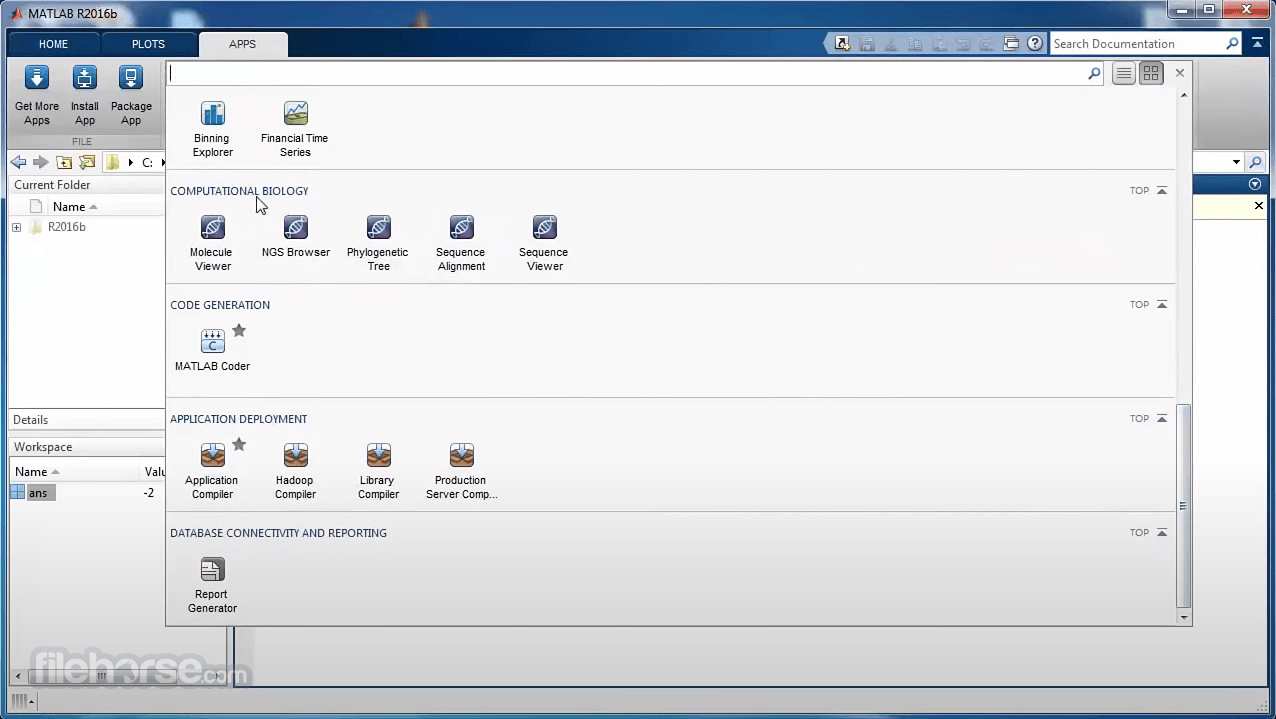
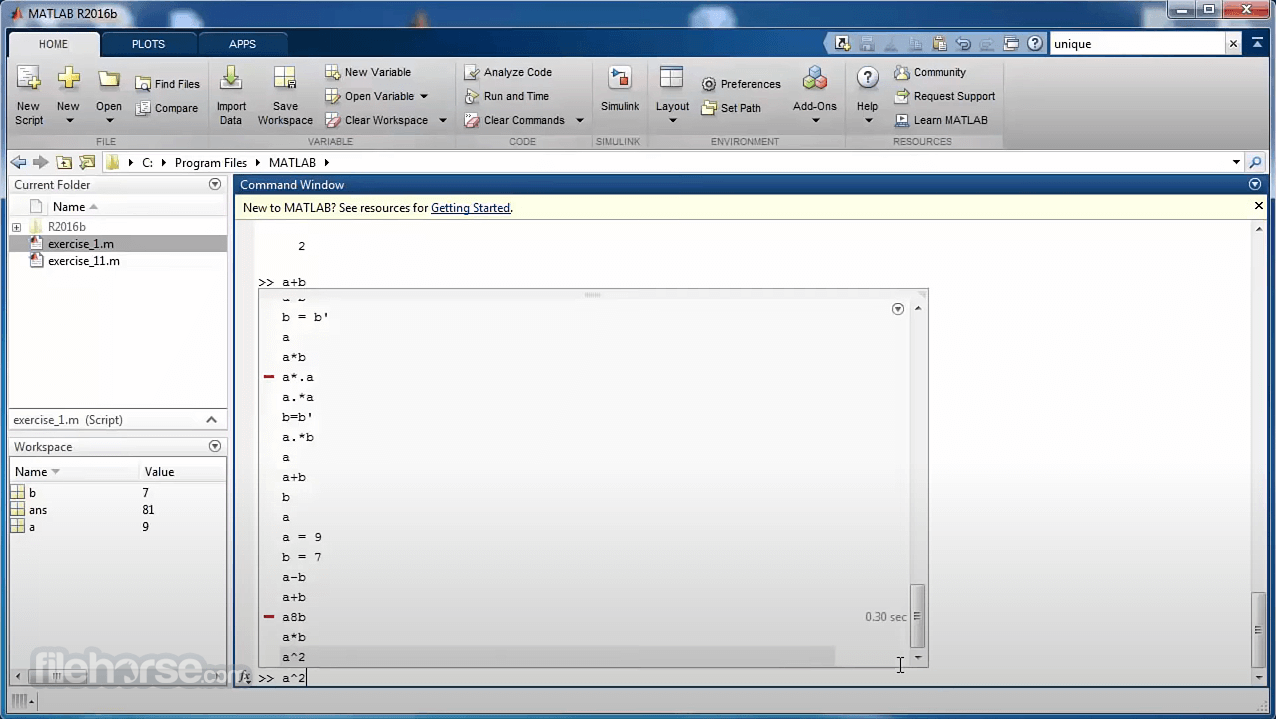
MATLAB R2026a Screenshots
The images below have been resized. Click on them to view the screenshots in full size.
-
-

-
What's new in this version:
Environment:
MATLAB Desktop: Share files in MATLAB Drive from MATLAB:
- You can now share a file stored in MATLAB® Drive™ directly from MATLAB. When you share the file, MATLAB shares the folder that contains the file as well. Sharing files that are in the root MATLAB Drive folder is not supported.
- To share a file, right-click the file in the Files panel, select Share, and then select from the available options. To manage permissions, select Invite Members and then add members with read or edit permissions to your file. To share your file with others through a link, select Create Link.
- You also can now manage an already shared folder from inside that shared folder. To manage an existing shared folder, right-click any subfolder or white space inside the shared folder, select Share, and then select from the available options.
- For more information, see Share Files Using MATLAB Drive.
- Java Runtime: Install your own version of Java
- Live Editor Text: Create multilevel lists
- MATLAB Desktop: Access recent files and online training using MATLAB Home page
- Live Editor Controls: Run custom code on button click
- Live Editor Controls: Populate slider and spinner values using additional variable types
- Live Editor Tasks: Manage custom Live Editor tasks from the task gallery
- Editor Spell Checker: Check spelling in MATLAB code and Markdown files by default
- Editor Files: Change the default end-of-line sequence for new files
- Editor Comments: Enhanced support for wrapping comments containing non-ASCII characters
- Comparison Tool: Compare folders and ZIP files using improved interface
- Comparison Tool: Save comparison reports as PDF/A files
- Cloud Storage in MATLAB: Connect to both your OneDrive Personal and OneDrive for Business accounts, including on macOS
- Functionality being removed or changed
- Language and Programming:
- Function Introspection: Get information about function signatures and argument validation
- You can programmatically get information about function signatures and arguments using the function metadata interface. Function metadata includes information about the input and output arguments of a function. To access this information, use metafunction to create a matlab.metadata.Function instance. The properties of this class provide details about the input and output arguments and any validation applied to the arguments. You can access details about class and size validation as well as validation functions and their arguments.
- metafunction also works for class methods. When you call metafunction on a method, the function returns a matlab.metadata.Method instance. The properties of matlab.metadata.Method use classes from the function metadata interface to provide information about method input and output arguments.
- matlab.metadata.Method Class: Get more information about method input and output arguments using introspection
- Validation Functions: Use mustBeSorted to validate that array elements are sorted
- Validation Functions: Compare arrays with compatible sizes
- matlab.mixin.CustomDisplay Class: getHeader and getFooter methods can return strings
- Metadata: Get information about functions, classes, and inner namespaces contained in a namespace
- Properties containing classes that use custom indexing can use the WeakHandle attribute
- Dynamic Properties: GetAccess and SetAccess attributes of dynamic properties can be metaclass objects
- MATLAB Vault: Import secrets and update secret names and metadata
- Functionality being removed or changed
Data Analysis:
- fillmissing Function, Clean Missing Data Live Editor Task, and Data Cleaner App: Use mean, median, or mode to fill missing data
- You can fill missing data with the mean, median, or mode of the nonmissing values along the operating dimension.
- For the fillmissing function, specify the "mean", "median", or "mode" fill method.
- For the Clean Missing Data task and the Clean Missing Data cleaning method in the Data Cleaner app, when the method for cleaning missing data is Fill missing, select the Mean, Median, or Mode fill method.
- Join Tables Live Editor Task: Switch order of input tables
- unique Function: Treat missing values as duplicates
- prctile, quantile, and iqr Functions: Calculate statistics for datetime data
- summary Function: Compute enumeration member counts
- uminus and uplus Functions: Perform unary minus and plus operations directly on tables and timetables
- Functionality being removed or changed
Data Import and Export:
- JSON Files: Read and write JSON data as tables and timetables
- Read and write JSON files using these functions:
- readtable and readtimetable — Read JSON data into MATLAB as a table or timetable. You can specify optional name-value arguments to control how readtable and readtimetable treat JSON data.
- writetable and writetimetable — Write a MATLAB table or timetable to a JSON file. You can specify optional name-value arguments to control how writetable and writetimetable treat JSON data.
- When reading JSON data, you can use the detectImportOptions function to detect aspects of the JSON file. When you call detectImportOptions on a JSON file, it returns a JSONImportOptions object that you can use with readtable or readtimetable to customize the import operation.
- File Permissions: View and adjust permissions of multiple files using wildcards
- FileDatastore Object: Read remote data from a local copy or its source
- delete Function: Remove multiple files by specifying a vector of filenames
- Comparison Tool: Compare and merge MAT files using improved interface
- Merge Tool: Resolve conflicts in MAT files using Three-Way Merge tool
- MAT File Comparison: Automate comparison report generation for continuous integration (CI) workflows
- FTP and SFTP: Remove subfolders, nonempty folders, and files using rmdir
- xmlread Function: Specify XML processing engine for reading XML file
- xmlwrite Function: Specify MAXP DOM object for writing XML file
- isfilePathInclusive Function: Determine if input is file in current folder, specified location, or MATLAB path
- Image Files: imfinfo now returns all EXIF tags associated with HEIF and HEIC images
- Parallel Processing: Use CFITSIO interface in thread-based environments
- Comparison Tool: Compare schemas of HDF5, netCDF, and SOFA files
- Scientific File Format Libraries: NetCDF library upgraded to version 4.9.3
- Scientific File Format Libraries: CFITSIO library upgraded to version 4.5.0
- Scientific File Format Libraries: CDF library upgraded to version 3.9.1
- VideoWriter Function: Support for code generation
- Functionality being removed or changed
Mathematics:
- ode Object: Calculate Jacobians using automatic differentiation
- You can use the JacobianMethod property of an ode object to specify whether the solver calculates the Jacobians for a given problem using finite differences or automatic differentiation. By default, the Jacobians are calculated using finite differences. The automatic differentiation method might be faster for large stiff systems and more accurate for sensitivity analyses.
- ode Object: Solve implicit ODEs using IDAS solver
- Integral Functions: Integrate functions with scalar inputs
- Functionality being removed or changed
Graphics:
- Web Canvas: Create webpages with interactive graphics
- Create HTML files containing interactive web canvases directly from your MATLAB plots and live scripts. A web canvas is an interactive plot element within an HTML page. Most visualizations in a web canvas support pan, zoom, and rotate interactions.
- You can open an HTML file containing a web canvas using a web browser with an internet connection, share the file with others, or host it on a web server. No MATLAB license is required to view and interact with graphics in a web canvas. For more information, see Display Interactive Graphics on Webpages.
- raincloudplot Function: Visualize grouped numeric data by using rain cloud plots
- Plotting Table Data: Create plots by passing tables directly to plotting functions
- Axes Toolbar: Interact with axes content using improved interface
- Axes Toolbar: Specify location of toolbar relative to axes
- Axes Toolbar: Display or hide axes toolbar in standalone visualizations
- Axes Toolbar: Specify tooltip text for toolbar drop-down menus
- imresize Function: Apply padding that replicates border pixels
- Stability and Memory Usage: Create graphics with improved stability and memory usage
- Functionality being removed or changed
App Building:
- UI Components: Associate label with component
- Associate a label with the UI component that it describes by using the Label property of the component. Screen readers use the label text to describe the component when an app user navigates through your app.
- For more information, refer to the object page of the labeled UI component. For example, see the Label property of the edit field component.
- App Designer: Share app in MATLAB Drive from App Designer
- App Designer: View code details in Code View using status bar
- App Designer: Update app layout and navigate code more easily
- App Designer: Use custom keyboard shortcuts in Code View
- App Designer: Remove Simulink dependency from app
- Functionality being removed or changed
Performance:
- MATLAB Startup: Improved performance
- MATLAB starts up faster in R2026a than in R2024b and previous releases. This improvement is most noticeable after the first startup and when starting MATLAB with multiple files open in the Editor.
- For example, after the first startup, MATLAB R2026a starts up about 1.3x times faster than R2024b.
- The approximate startup times are:
- R2024b: 9.12 s
- R2026a: 7.25 s
- When starting with 15 code files previously open in the Editor, MATLAB R2026a starts about 1.4x times faster than R2024b.
- The approximate startup times are:
- R2024b: 11.24 s
- R2026a: 8.22 s
- Startup was timed on a Windows 11, Intel Xeon® 6-Core Processor @ 3.60 GHz test system by measuring the interval between launching MATLAB and the Command Window being ready to accept commands.
- If your startup time is significantly slower than these approximate times, configuration issues or other factors might be affecting your MATLAB startup. For troubleshooting steps, see Resolve Slow Startup.
- power Function: Improved performance when computing element-wise powers with integer exponents
- log Function: Improved performance when computing natural logarithms in double precision
- duration Data Type: Improved performance with duration arrays
- filter Function: Improved performance for finite impulse response (FIR) filters
- nufft and nufftn Functions: Improved performance with nonuniform sample points and query points
- kde Function: Improved performance of kernel density estimate computations
- join Function: Improved performance with tall tables when returning two outputs
- innerjoin Function: Improved performance when joining tall and in-memory tables
- Data Grouping Functions: Improved performance for numeric or string grouping vector
- sort and sortrows Functions: Improved performance for 8-bit and 16-bit integer data
- readlines Function: Improved performance when reading lines of a file as string arrays
- mget Function: Improved performance when downloading files from SFTP and FTP servers
- ftp Function: Improved performance when connecting to subfolders
- Line Plot Interactions: Improved responsiveness for panning and zooming
- Quiver and Stem Plot Interactions: Improved responsiveness for panning and zooming
- Scatter Histogram Interactions: Improved responsiveness for panning and zooming
- validatecolor and fliplightness Functions: Improved performance for validating and flipping colors
- Legends in Plots: Improved performance for legends with multiline labels and in plots with invisible objects
- uiimage Function: Improved performance when resizing an app with multiple images in a grid
- Test Browser App: Improved performance when adding and running tests
- MATLAB Support Package for Quantum Computing: Improved performance when simulating quantum circuits
Software Development:
- Project Checks: Detect case mismatch in project files, paths, and references
- When you run project checks on Windows, the checks now detect case mismatch in project files, paths, and references. For more information, see Run Project Checks and runChecks.
- Project Filters: View files with status Not in project
- Project Settings: Reopen files from last time you opened project
- Project API: Create project object without opening the project
- Project API: Edit referenced project without opening it as top-level project
- openProject Function: Specify the project to load as a matlab.project.Project object
- Dependency Analyzer: Investigate file dependencies across projects in hierarchy
- Git Source Control: Switch branches from Source Control panel
- Git API: Create local branch that tracks remote branch and switch to it in one step
- Git API: Specify SSH passphrase when you interact with Git repository
- Git API: Clone single branch from Git repository
- Source Control: Sign Git commits using SSH keys
- mpmuninstall Function: Delete uninstalled packages from disk
- PackageIdentifier Object: Store package identifying information
- Build Automation: Run tasks in parallel
- Build Automation: View build summary in build output
- Build Automation: Control amount of build output interactively from Editor or MATLAB project
- Build Automation: Display test results in Test Browser
- Build Automation: Specify threshold for informational messages when identifying code issues
- Unit Testing Framework: Add tests from currently open project to Test Browser
- Unit Testing Framework: Add tests to Test Browser by dragging files and folders
- Unit Testing Framework: Automatically open MATLAB project when running tests in project files and folders
- Unit Testing Framework: Test using parameterization properties that contain no data values
- Unit Testing Framework: Generate test reports that have an improved appearance
- App Testing Framework: Programmatically interact with system dialog boxes
- App Testing Framework: Test Shift+click to select range of list box items
- App Testing Framework: Interact with table row and column headers
- Mocking Framework: Create mocks for classes with abstract WeakHandle properties
- Functionality being removed or changed
External Language Interfaces:
- External Languages Panel: View, create, and manage Python environments in MATLAB
- You can use the new External Languages panel to manage external programming language environments in MATLAB. Starting in R2026a, you can add Python® environments, create virtual environments, switch between environments and execution modes, and manage libraries within Python environments.
- To open the External Languages panel, click the Open more panels button on any sidebar and select External Languages. To manage Python environments using the External Languages panel, select the Python option from the menu at the upper left. For more information, see Manage Python Environments Using External Languages Panel.
- External Languages panel showing the selected Python environment as well as a list of all Python environments. The panel includes options to select an external language, add environments, manage settings, and refresh the panel view.
- Call .NET from MATLAB: Unload .NET Core assembly from MATLAB
- Call .NET from MATLAB: Compare two .NET objects for equality
- Python: Support for CPython version 3.13
- Call Python from MATLAB: Automatically convert MATLAB string array to Python list
- pystringarray Function: Convert MATLAB string arrays to NumPy string arrays
- Call Python from MATLAB: Compare two Python objects for equality
- Call Java from MATLAB: Configure JRE for the MATLAB Support for OpenJDK add-on
- Call MATLAB from C++: Run MATLAB and your C++ application in the same process
- Call MATLAB from C++: Support for matlab::data::Array data types in matlab::engine::MATLABEngine functions feval and fevalAsync
- Web Services: Specify how to handle a basic authentication header
- MEX Functions: Build MEX functions from free-form Fortran source code
- Compilers: Support for MinGW-w64 version 14.2 compiler on Windows, Microsoft Visual Studio 2026, and Intel oneAPI 2025 compiler
- Perl 5.42.0: MATLAB support on Windows
- Functionality being removed or changed
Hardware Support:
- Arduino Hardware: Support for Arduino Nano ESP32 and ESP32-S3-DevKitM-1 boards
- You can now use MATLAB Support Package for Arduino® Hardware to communicate with the Arduino Nano ESP32 and ESP32-S3-DevKitM-1 boards over USB, Bluetooth®, and Wi-Fi® from an installed version of MATLAB. For more information on how to configure ESP32 boards, see Set Up and Configure ESP32 Hardware.
- However, you cannot use the support package to connect these boards with an Adafruit® Motor Shield V2, motor carrier, CAN interface, or serial devices. The function playTone and the name-value argument AnalogReferenceMode of the arduino object in external mode do not support these boards. For more information, see Supported Boards.
- Arduino Hardware: Support for Raspberry Pi Pico and Pico W boards
- Arduino Hardware: Support for Wi-Fi in MATLAB Online
- Arduino Hardware: Bluetooth support for Arduino Uno R4 Wi-Fi board
- Arduino Hardware: New example to estimate battery state of charge using deep learning
 OperaOpera 131.0 Build 5877.24 (64-bit)
 Kling AIKling AI - Text or Image to Video
 PhotoshopAdobe Photoshop CC 2026 27.5 (64-bit)
 BlueStacks AIBlueStacks AI
 OKXOKX - Buy Bitcoin or Ethereum
 CapCutCapCut 8.5.0
 PC RepairPC Repair Tool 2026
 Hero WarsHero Wars - Online Action Game
 TradingViewTradingView - Trusted by 100 Million Traders
 AdGuard VPNAdGuard VPN 2.9.0
Comments and User Reviews