




 BookFab
 PDFelement
 Edraw AI
 WPS Office
 Adobe Acrobat
 Genspark AI
-
Latest Version
Microsoft Office Professional Retail (64-bit) LATEST
-
Review by
-
Operating System
Windows XP64 / Vista64 / Windows 7 64 / Windows 8 64 / Windows 10 64 / Windows 11
-
User Rating
Click to vote -
Author / Product
-
Filename
ProfessionalRetail.img
Microsoft Office 64-bit is powered by the cloud so you can access your documents anytime, anywhere, and on any device. It's unmistakably Office - but thoughtfully designed to take advantage of the unique features of Windows.
Get 15% off with promo code: FILEHORSE15
Microsoft Office is an office suite of desktop applications, servers, and services for the Microsoft Windows and macOS operating systems, introduced by Microsoft.
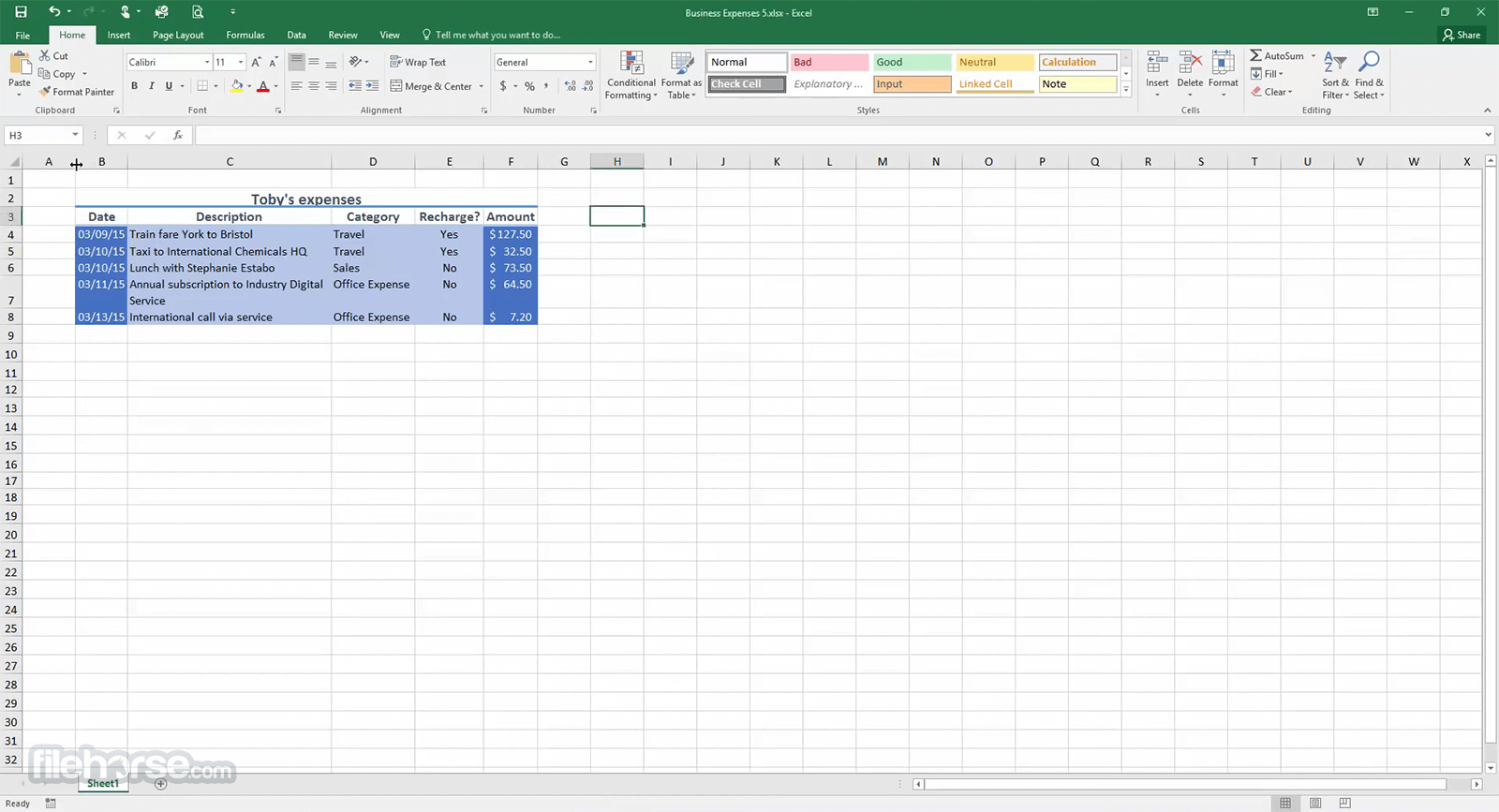
The new Microsoft Office includes updated versions of Word, Excel, PowerPoint, OneNote, and Outlook, and the moment you open any one of the apps, you'll immediately feel the difference. A refreshed task pane interface makes positioning, resizing, or rotating graphics easy so you can create exactly the layout you want.
And new themes and styles help you pull it all together to produce stunning, professional documents.
Microsoft Office 2016 is a comprehensive suite of productivity software that includes popular applications like Word, Excel, PowerPoint, Outlook, and OneNote.
With its user-friendly interface and robust features, it empowers individuals and organizations to create, edit, manage, and share various types of documents, spreadsheets, presentations, emails, and more.
It offers a seamless experience across different devices, allowing users to work efficiently from desktop computers, laptops, tablets, and even smartphones.
What`s New in latest version 2026
Features
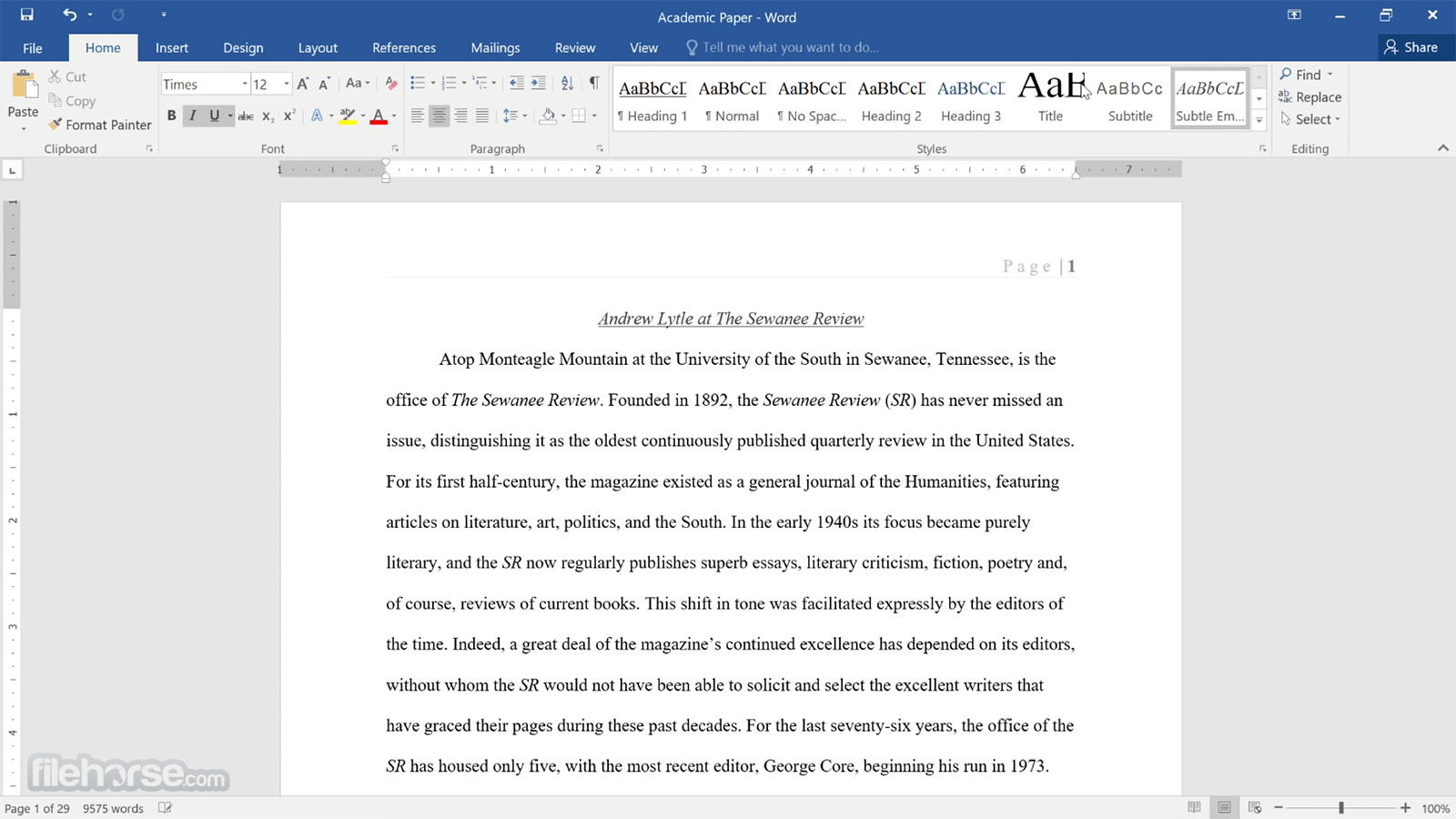
Word Processing Power: Microsoft Word in Office 2016 provides advanced formatting options, rich editing tools, collaborative features, and seamless integration with other Office applications. It enables users to create professional documents, reports, and letters with ease.
Data Analysis and Visualization: Excel 2016 is a powerful spreadsheet application that offers advanced functions, formulas, and data analysis tools. It allows users to organize, analyze, and visualize data effectively, making it an essential tool for financial modeling, budgeting, and data-driven decision-making.
Dynamic Presentations: PowerPoint 2016 enables users to create visually stunning presentations with an array of customizable templates, animations, and multimedia features. It offers intuitive tools for arranging content and delivering impactful presentations.
Efficient Email Management: Outlook 2016 serves as a reliable email client with features like advanced inbox organization, calendar management, task tracking, and seamless integration with other Microsoft products. It simplifies communication and enhances productivity.
Note-Taking and Collaboration: OneNote 2016 allows users to capture and organize notes, ideas, and information across different devices. It promotes collaboration through shared notebooks and real-time editing capabilities.
How to Use
Installation: To install Microsoft Office 2016, insert the installation media, and download the software from the official Microsoft website or FileHorse. Follow the on-screen instructions to complete the installation process.
Application Usage: Launch the desired Office application (Word, Excel, PowerPoint, Outlook, or OneNote) from the start menu or desktop shortcut. Familiarize yourself with the interface and explore the extensive range of features available in each application.
FAQ
Can I use Microsoft Office 2016 on multiple devices?
Yes, It allows installation on multiple devices, including Windows, macOS, and mobile platforms. However, the licensing terms and number of devices allowed may vary based on the specific Office 2016 edition and licensing agreement.
Can I collaborate on documents in real time with others using Office 2016?
Yes, the applications support real-time collaboration. Multiple users can work on a document simultaneously, making edits, and seeing changes in real time.
Is Microsoft Office 2016 compatible with earlier versions of Office files?
Yes, It maintains compatibility with files created in earlier versions of Office. However, some advanced features may not be available when working with older file formats.
Can I customize the Office 2016 interface to suit my preferences?
Yes, It provides various customization options to tailor the user interface according to individual preferences. Users can modify the ribbon, toolbar, and other interface elements to optimize their workflow.
Is technical support available for Microsoft Office 2016?
Yes, Microsoft offers technical support for Office 2016 through its official support channels. Users can access online resources, and knowledge bases, and contact Microsoft's support team for assistance.
Alternatives
Microsoft 365 Personal: Create high-quality reports, essays, and class presentations!
LibreOffice: A free and open-source alternative, compatible with Microsoft Office file formats.
WPS Office: A cross-platform office suite with a familiar interface and robust feature set.
Google Workspace: A flexible, innovative cloud solution for people and organizations to achieve more!
Pricing
MS 2016 is no longer available for purchase directly from Microsoft. However, you may find second-hand licenses or opt for a subscription-based model, such as Microsoft 365, which provides access to the latest versions of this applications.
System Requirements
Microsoft Office 2016 remains a reliable and feature-rich suite of productivity software despite the availability of newer versions. It empowers users with a range of applications and tools to accomplish diverse tasks efficiently. While it may lack some of the cloud-based features and advancements found in the latest Office iterations, it continues to deliver on its promise of enhancing productivity and enabling seamless collaboration.
With its intuitive interface and extensive capabilities, it remains a valuable choice for individuals and businesses seeking a robust productivity suite.
Note: 30 days trial version (Signup Required). Requires .NET Framework.
Also Available: Microsoft Office (32-bit) and Microsoft Office for Mac
Get 15% off with promo code: FILEHORSE15
Microsoft Office is an office suite of desktop applications, servers, and services for the Microsoft Windows and macOS operating systems, introduced by Microsoft.
The new Microsoft Office includes updated versions of Word, Excel, PowerPoint, OneNote, and Outlook, and the moment you open any one of the apps, you'll immediately feel the difference. A refreshed task pane interface makes positioning, resizing, or rotating graphics easy so you can create exactly the layout you want.
And new themes and styles help you pull it all together to produce stunning, professional documents.
Microsoft Office 2016 is a comprehensive suite of productivity software that includes popular applications like Word, Excel, PowerPoint, Outlook, and OneNote.
With its user-friendly interface and robust features, it empowers individuals and organizations to create, edit, manage, and share various types of documents, spreadsheets, presentations, emails, and more.
It offers a seamless experience across different devices, allowing users to work efficiently from desktop computers, laptops, tablets, and even smartphones.
What`s New in latest version 2026
- Enhanced AI features with deeper Copilot integration across Word, Excel, and PowerPoint.
- Improved real-time collaboration with faster cloud syncing via OneDrive.
- New Excel functions and performance boosts for large datasets.
- PowerPoint design upgrades with smarter layout and presentation suggestions.
- Word improvements for document review, commenting, and formatting tools.
- Outlook updates with smarter email sorting and calendar enhancements.
- Better cross-device continuity between desktop, web, and mobile apps.
- Improved security with advanced threat protection and compliance tools.
- Performance optimizations for faster startup and smoother multitasking.
- Bug fixes and stability improvements across all Office applications.
Features
Word Processing Power: Microsoft Word in Office 2016 provides advanced formatting options, rich editing tools, collaborative features, and seamless integration with other Office applications. It enables users to create professional documents, reports, and letters with ease.
Data Analysis and Visualization: Excel 2016 is a powerful spreadsheet application that offers advanced functions, formulas, and data analysis tools. It allows users to organize, analyze, and visualize data effectively, making it an essential tool for financial modeling, budgeting, and data-driven decision-making.
Dynamic Presentations: PowerPoint 2016 enables users to create visually stunning presentations with an array of customizable templates, animations, and multimedia features. It offers intuitive tools for arranging content and delivering impactful presentations.
Efficient Email Management: Outlook 2016 serves as a reliable email client with features like advanced inbox organization, calendar management, task tracking, and seamless integration with other Microsoft products. It simplifies communication and enhances productivity.
Note-Taking and Collaboration: OneNote 2016 allows users to capture and organize notes, ideas, and information across different devices. It promotes collaboration through shared notebooks and real-time editing capabilities.
How to Use
Installation: To install Microsoft Office 2016, insert the installation media, and download the software from the official Microsoft website or FileHorse. Follow the on-screen instructions to complete the installation process.
Application Usage: Launch the desired Office application (Word, Excel, PowerPoint, Outlook, or OneNote) from the start menu or desktop shortcut. Familiarize yourself with the interface and explore the extensive range of features available in each application.
FAQ
Can I use Microsoft Office 2016 on multiple devices?
Yes, It allows installation on multiple devices, including Windows, macOS, and mobile platforms. However, the licensing terms and number of devices allowed may vary based on the specific Office 2016 edition and licensing agreement.
Can I collaborate on documents in real time with others using Office 2016?
Yes, the applications support real-time collaboration. Multiple users can work on a document simultaneously, making edits, and seeing changes in real time.
Is Microsoft Office 2016 compatible with earlier versions of Office files?
Yes, It maintains compatibility with files created in earlier versions of Office. However, some advanced features may not be available when working with older file formats.
Can I customize the Office 2016 interface to suit my preferences?
Yes, It provides various customization options to tailor the user interface according to individual preferences. Users can modify the ribbon, toolbar, and other interface elements to optimize their workflow.
Is technical support available for Microsoft Office 2016?
Yes, Microsoft offers technical support for Office 2016 through its official support channels. Users can access online resources, and knowledge bases, and contact Microsoft's support team for assistance.
Alternatives
Microsoft 365 Personal: Create high-quality reports, essays, and class presentations!
LibreOffice: A free and open-source alternative, compatible with Microsoft Office file formats.
WPS Office: A cross-platform office suite with a familiar interface and robust feature set.
Google Workspace: A flexible, innovative cloud solution for people and organizations to achieve more!
Pricing
MS 2016 is no longer available for purchase directly from Microsoft. However, you may find second-hand licenses or opt for a subscription-based model, such as Microsoft 365, which provides access to the latest versions of this applications.
System Requirements
- Operating System: Windows 7 or later, macOS 10.10 or later
- Processor: 1 GHz or faster (x86- or x64-bit for Windows)
- Memory: 2 GB RAM or more
- Storage: 3 GB of available disk space
- Display: 1280 x 800 resolution
- Comprehensive suite of productivity applications
- Extensive features and tools tailored for different tasks
- Seamless integration and collaboration capabilities
- User-friendly interface
- Compatibility with earlier Office file formats
- Limited cloud-based features compared to newer versions
- Potential compatibility issues with older third-party plugins
- Some advanced features may require a learning curve for new users
- Limited customer support for older versions
Microsoft Office 2016 remains a reliable and feature-rich suite of productivity software despite the availability of newer versions. It empowers users with a range of applications and tools to accomplish diverse tasks efficiently. While it may lack some of the cloud-based features and advancements found in the latest Office iterations, it continues to deliver on its promise of enhancing productivity and enabling seamless collaboration.
With its intuitive interface and extensive capabilities, it remains a valuable choice for individuals and businesses seeking a robust productivity suite.
Note: 30 days trial version (Signup Required). Requires .NET Framework.
Also Available: Microsoft Office (32-bit) and Microsoft Office for Mac
Why is this app published on FileHorse? (More info)
-
Microsoft Office Professional Retail (64-bit) Screenshots
The images below have been resized. Click on them to view the screenshots in full size.
-
-
 OperaOpera 129.0 Build 5823.44 (64-bit)
 Kling AIKling AI - Text or Image to Video
 PhotoshopAdobe Photoshop CC 2026 27.4 (64-bit)
 BlueStacksBlueStacks 10.42.167.1001
 OKXOKX - Buy Bitcoin or Ethereum
 CapCutCapCut 7.9.0
 PC RepairPC Repair Tool 2026
 Hero WarsHero Wars - Online Action Game
 TradingViewTradingView - Trusted by 100 Million Traders
 AdGuard VPNAdGuard VPN 2.9.0
Comments and User Reviews