




 War Robots
 Warships
 Cricket 26
 Battlefield 6
 Left to Surviv
 LDPlayer
 World of Tanks
-
Latest Version
ScummVM 2026.1.0 LATEST
-
Review by
-
Operating System
Windows 7 / Windows 7 64 / Windows 8 / Windows 8 64 / Windows 10 / Windows 10 64
-
User Rating
Click to vote -
Author / Product
-
Filename
scummvm-2026.1.0-win32.exe
The clever part about this: ScummVM just replaces the executables shipped with the games, allowing you to play them on systems for which they were never designed! The emulator app is a complete rewrite of these games' executables and is not an emulator.
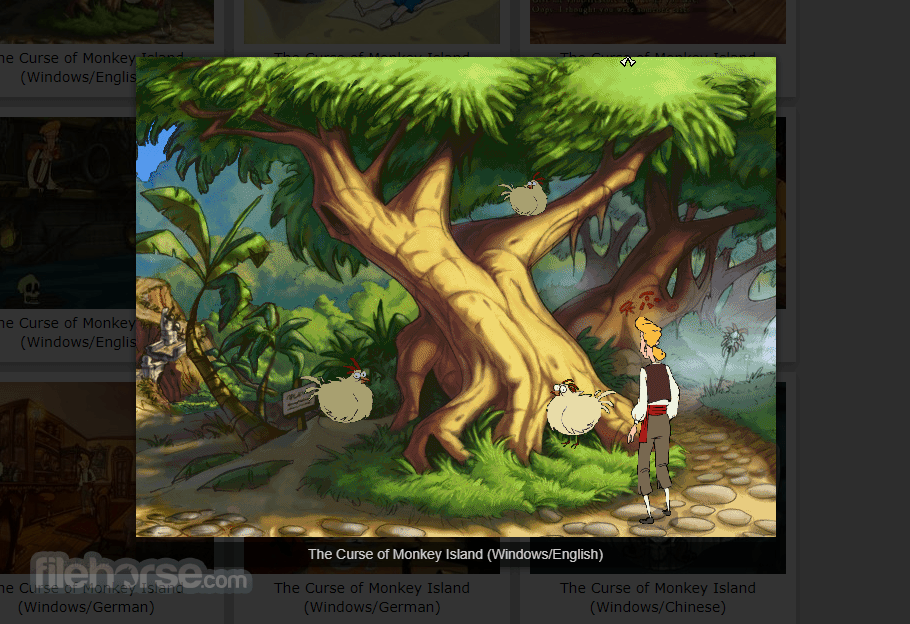
“Scumm” comes from the fact that it was originally designed to run SCUMM games, like Monkey Island. “VM” stands for Virtual Machine.
The program is released under the GPL (General Public License), so it's more than free. ScummVM source code is freely available and you can do whatever you want with it.
If you make modifications to it and redistribute your work you MUST make the source available. However, the team would be pleased if you choose to send them your modifications, so they can be merged into the main tree.
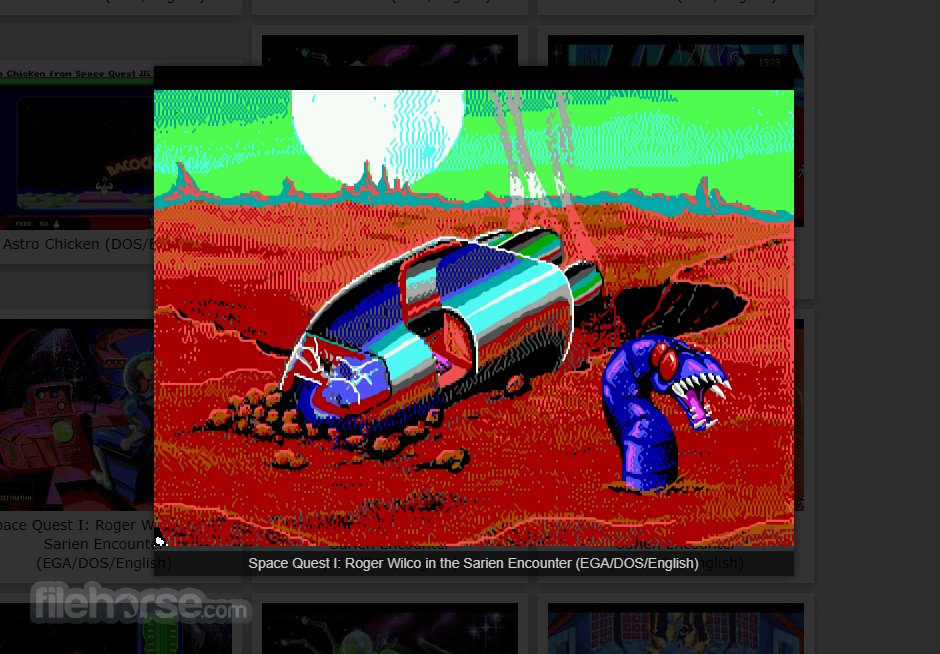
It supports a huge library of adventures with over 250 games in total. It supports many classics published by legendary studios like LucasArts, Sierra On-Line, Revolution Software, Cyan, Inc. and Westwood Studios.
Next to ground-breaking titles like the Monkey Island series, Broken Sword, Myst, Blade Runner and countless other games you will find some really obscure adventures and truly hidden gems to explore.
ScummVM for PC is continually improving, so check back often. Among the systems on which you can play those games are Windows, Linux, macOS, iOS, Android, PS Vita, Switch, Dreamcast, AmigaOS, Atari/FreeMiNT, RISC OS, Haiku, PSP, PS3, Maemo, GCW Zero and many more...
Key Features
- Cross-Platform Compatibility: It supports Windows, macOS, Linux, Android, iOS, and more, ensuring accessibility across a wide range of devices.
- Game Compatibility: It boasts compatibility with over 250 classic adventure games, including iconic titles like "Monkey Island," "Day of the Tentacle," and "Sam & Max Hit the Road."
- Enhanced Experience: It offers several enhancements over the original games, such as higher resolutions, improved audio quality, and smoother gameplay.
- Customization Options: Users can fine-tune their gaming experience through various settings, including graphic filters, aspect ratio adjustments, and keyboard shortcuts.
- Mod Support: The software also facilitates the use of fan-made patches and mods, allowing players to further personalize their gaming experience.
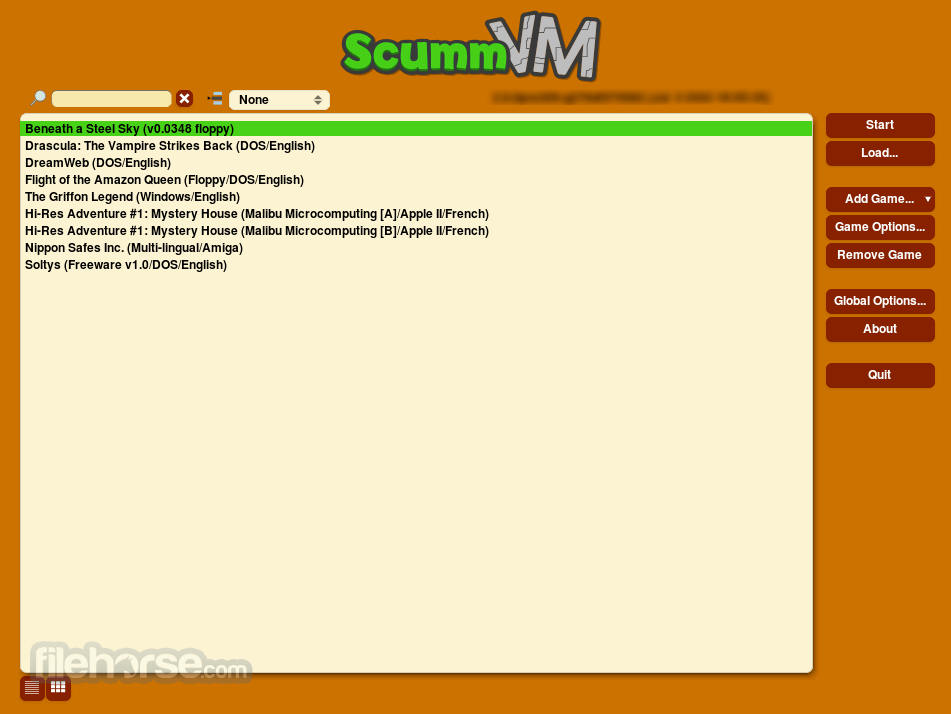
It sports a clean and intuitive user interface, featuring a simple layout that makes navigating through games and settings a breeze.
The main window displays a list of detected games, with additional options accessible via the toolbar and menu bar.
Installation and Setup
Installing this program is a straightforward process on most platforms.
Users can download the appropriate installer from the official website or FileHorse and follow the on-screen instructions to complete the setup.
Once installed, users can add their game files to ScummVM's library and begin playing immediately.
How to Use
Using this app is as simple as selecting a game from the library and clicking "Start." The software will automatically detect and configure the game settings, ensuring a seamless experience. Users can also customize various aspects of gameplay, including graphics, audio, and controls, to suit their preferences.

FAQ
Can I run ScummVM on my smartphone?
Yes, ScummVM is available for both Android and iOS devices, allowing you to enjoy classic adventure games on the go.
Does ScummVM support games other than LucasArts titles?
Absolutely! While the app was initially developed for SCUMM engine games, it now supports a wide range of adventure games from various developers.
Can I use my original game CDs with ScummVM?
Yes, it can detect and run games directly from their original CDs, providing a convenient way to revisit your classic game collection.
Is ScummVM for PC legal to use?
Yes, the program is licensed under the GNU General Public License (GPL), making it entirely legal to download, distribute, and modify.
Are there any performance requirements for running ScummVM?
ScummVM is lightweight and should run smoothly on most modern hardware, requiring minimal system resources.
Alternatives
If you are looking for an excellent alternative to this product, we recommend DOSBox.
System Requirements
The system requirements for running this software are minimal, with the software being compatible with most modern computers and mobile devices.
Generally, users will need a reasonably recent operating system and a modest amount of storage space to install and run the software.
PROS
- Wide compatibility with classic adventure games
- Enhanced gaming experience with modern features
- Simple and intuitive user interface
- Cross-platform support for various devices
- Customization options to tailor the gaming experience
- Limited support for non-adventure games
- Occasional compatibility issues with certain titles
- May require some configuration for optimal performance
All in all, it stands as a testament to the enduring legacy of classic adventure games, offering fans a convenient and feature-rich platform to relive their favorite titles. With its extensive game compatibility, user-friendly interface, and commitment to preserving gaming history, it remains an indispensable tool for retro gaming enthusiasts everywhere.
Whether you're a seasoned adventurer or new to the genre, ScummVM invites you to embark on a nostalgic journey through gaming's golden age.
Also Available: Download ScummVM for Mac
-
ScummVM 2026.1.0 Screenshots
The images below have been resized. Click on them to view the screenshots in full size.
-
-
-
What's new in this version:
New games:
- Added support for Dark Seed
- Added support for God of Thunder
- Added support for The Adventures of Willy Beamish
- Added support for Heart of China
- Added support for Nancy Drew: Secret of the Scarlet Hand
- Added support for Nancy Drew: Ghost Dogs of Moon Lake
- Added support for Ripley's Believe It or Not!: The Riddle of Master Lu
- Added support for Little Longnose
- Added support for Pilot Brothers 3: Back Side of the Earth
- Added support for Pilot Brothers 3D. The Case of Garden Pests
- Added support for Pilot Brothers 3D-2. Kennel Club Secrets
- Added support for Features of National Fishing
- Added support for Mom Don't Worry
- Added support for Dog-n-cat: In the Footsteps of Unprecedented Beasts
- Added support for Dog-n-cat: Island of Dr Ratiarty
- Added support for Out of this World (Another World)
- Added support for SLUDGE-based games, such as Out of Order, The Secret of Tremendous Corporation, Robin's Rescue and others, 12 titles so far
- Added support for Adibou 2: Nature & Sciences
- Added support for WAGE-based game. More than 160 titles so far
- Added support for Penumbra: Overture
- Added support for Tex Murphy: Martian Memorandu
- Added support for Mort&Phil: A Movie Adventure (Special Edition)
- Added support for Trick or Treat
- Added support for Hodj 'n' Podj
Access:
- Added keymapper support
- Fixed foodstep sounds
ADL:
- Added Text-to-Speech support
AGI:
- Added Text-to-Speech support
- Added support for SQ2 French translation
- Added support for KQ1, KQ2, KQ3 Hebrew translations
- Fixed Mickey's Space Adventure sound on PS3, Wii, and other big-endian ports
AGS:
- Updated detection tables
Buried:
- Added keymapper support
CinE:
- Added Text-to-Speech support
Cruise:
- Added Text-to-Speech support
Cryomni3D:
- Added support for Chinese DOS/Win95 Versailles CD versio
Draci:
- Added Text-to-Speech support
Drascula:
- Fixed displaying accented characters
- Added Text-to-Speech support
- Added keymapper support
EFH:
- Fixed giving and dropping unequippable items
- Fixed being unable to replace 3rd party member
- Fixed quitting in status menu
- Added Text-to-Speech support
- Added keymapper support
Freescape:
- Added roll rotation to Driller and Dark Side
- Added full TinyGL support for all the games
- Fixed several small details across all the games including missing graphics and sounds
Gob:
- Added Text-to-Speech support
Grim:
- Added support for the fantranslated Polish version of Grim Fandango
Hugo:
- Added Text-to-Speech support
- Fixed unrecognized commands, missing points, and graphics glitches in the DOS version of Hugo 2
- Fixed clicking to walk
- Fixed closing the top menu
Hypno:
- Added keymapper support
Illusions:
- Fixed a crash when triggering the game menu early in the game
Kyra:
- Reduced CPU usage in the LoL main menu
- Reduced CPU usage in EoB 1 and 2
- Introduced new launcher checkbox in Eye of the Beholder 1 and 2, to enable smarter replacing of thrown weapons from inventory
- In Eye of the Beholder 1, Ileria and Beohram NPC data fix is now behind a separate feature flag and launcher checkbox
Lab:
- Added keymapper support
Lure:
- Added Russian version support to lure.dat
MADE:
- Added Text-to-Speech support
MM:
- Fixed protection from elements spell
- Added Text-to-Speech support
- Fixed errors with M&M1 monster advancement in combat
- Fixed doors color in M&M1 enhanced mode
- Fixed rendering of M&M1 enhanced main menu circles
Mohawk:
- Fixed popping noise in speech in some game releases (bug in the original)
NANCY:
- Added support for ScummVM's save/load screens
- Fixed a crash while reading files from the Zip disk in Secret of the Scarlet Hand
Neverhood:
- Added keymapper support
NGI:
- Added keymapper support
- Fixed a crash when trying to open the game main menu several times in a row
Nuvie:
- Added "Transfer a Character" feature to main menu
Parallaction:
- Added Text-to-Speech support
Petka:
- Added keymapper support
Pink:
- Added keymapper support
Prince:
- Added Text-to-Speech support
- Added keymapper support
Private:
- Added several important missing graphics and gameplay sounds, the engine is now considered to be at feature parity with the original game
- Fixed inaccessible places, missing interactions or conversations
- Added option to highlight decision areas for improved visibility
- Added support for third party subtitles
- Added missing features and fixed crashes in the desktop screen
- Fixed various graphics and cursor glitches
- Added keymapper support
Queen:
- Added keymapper support
SCI:
- Fixed PHANT1 losing save files. (ScummVM 2.9.0 bug
- Fixed QFG4 v1.1/German lockup when entering cave at end of game
- Fixed PQ2 PC-98 Japanese text not displaying on certain screens
- Fixed KQ1 Amiga crash when incorrectly guessing gnome's name
- Fixed LONGBOW Amiga crash when going to abbey
- Fixed SQ4 Amiga taking three minutes to display title screen
- Fixed PQ2 phone when dialing wrong numbers
- Fixed script bugs in ECO1, LSL6, PEPPER
- Added support for SLATER Macintosh
- Virtual keyboard now correctly triggers on/off wherever text input is needed
SCUMM:
- Added support for the classic SE variants of MI1, MI2, DOTT and FT
- Added support for the remastered speech and sound effects in the remastered version of Day of the Tentacle
- Added speech support in the SE versions of MI1 and MI2
- Improved graphics support for Macintosh DOTT, Sam & Max, The Dig, Full Throttle, and the PowerPC version of Fate of Atlantis
- Added an option to render Sega CD MI1 with the "Shadow Mode" palette which was originally used for that release. (It's unclear whether that much darker rendering was used on purpose, or unintentionally.
- Added Text-to-Speech support
- Added support for Catalan fan translations of Maniac Mansion, Indy3, Monkey1 and Indy4
- Fixed game detection for the Macintosh version of MI1 from the first first LucasArts Mac CD Game Pack. Previously you had to make sure to only copy the data fork, not the (empty) resource fork
- Fixed various crashes when loading some old/special saves
- Fixed a bug with background layers, which could cause some small glitches in The Dig
- Fixed an edge case when decoding SMUSH videos. This would cause some gray artifacts/pixels to appear in the ending video of The Dig
- Fixed minor visual issues in Backyard Baseball (1997) and Pajama Sam 3
- Fixed missing graphical effects in Spy Fox in Cheese Chase
- Fixed Spy Fox in Cheese Chase always preferring custom levels over the built-in ones
Sherlock:
- Added keymapper support
Stark:
- The OpenGL renderer now works on older GPUs not supporting non-power-of-two textures
Supernova:
- Added keymapper support
Sword1:
- Fixed harsh noise being played instead of the intended audio on PS3, Wii, and other big-endian ports
- Fixed some engine leaks that could lead to crashes in some situations
Sword25:
- Added keymapper support
Teenagent:
- Added language support for Polish, Czech and Russian versions. New teenagent.dat file is generated
- Added keymapper support
- Added Text-to-Speech support
- Added support for Polish CD version with voice-over
Tetraedge:
- Added keymapper support
Titanic:
- Added keymapper support
Toltecs:
- Added keymapper support
Toon:
- Adjusted the speed of the Gift-O-Matic machine sequence, so that it better matches the way it behaved on original hardware
Touche:
- Fixed a crash when quitting the game while some speech was about to be played
TwinE:
- Activated original bug fixes (FunFrock's HQ door and safe bugs)
V-Cruise:
- Fixed text rendering in Chinese and Japanese localizations
- Added support for Japanese DVD version of Schizm: Mysterious Journey
Voyeur:
- Added keymapper support
Wintermute:
- 3D renderer enabled by default for 2D games
- Added Text-to-Speech support
- Added support for several fan translations
Desktop ports:
- Allow the user to disable manual resizing of the ScummVM window (using Ctrl+R)
- Add support for building with SDL3 (although SDL2 is still used by default)
- Add support for scaling shaders within 3D engines
- Remove last remnants from the ResidualVM merge: the codebase is now fully unified
Android port:
- Support Android 16
- Add support for scaling shaders within 3D engines
- Add support for antialiasing with 3D engines
- Remove last remnants from the ResidualVM merge: the codebase is now fully unified
- Take screen forbidden zones into account
- Use Android networking code instead of libcurl: system HTTPS certificates are now used
- Long-press on back button with latest Android versions is fixed
Atari port:
- Unified paths for FreeMiNT and TOS in scummvm.cfg (better delete the old config file)
- Added translation for longer than 8+3 .dat filenames
- Fixed slow rendering of Eco Quest's intro
- Fixed cursor rendering of Phantasmagoria, KQ7 and other SCI32 games
- Increased stack size to 256k to avoid stack overflow in some engines (e.g. Supernova)
- Fixed launching games from command line
DS port:
- Migrate to latest devkitPRO SDK
iOS port:
- Add support for scaling shaders within 3D engines
- Add support for antialiasing with 3D engines
- Remove last remnants from the ResidualVM merge: the codebase is now fully unified
- Take screen forbidden zones into account
PS3 port:
- Fixed crashes for games using a screen shaking effect
 OperaOpera 126.0 Build 5750.59 (64-bit)
 Kling AIKling AI - Text or Image to Video
 PhotoshopAdobe Photoshop CC 2026 27.3 (64-bit)
 BlueStacksBlueStacks 10.42.163.1003
 OKXOKX - Buy Bitcoin or Ethereum
 CapCutCapCut 7.9.0
 PC RepairPC Repair Tool 2026
 Hero WarsHero Wars - Online Action Game
 TradingViewTradingView - Trusted by 60 Million Traders
 AdGuard VPNAdGuard VPN 2.8.2
Comments and User Reviews