




 WPS Office
 PDFelement
 Adobe Acrobat
 Genspark AI
 BookFab
 Edraw AI
-
Latest Version
LibreOffice 26.2.1 (64-bit) LATEST
-
Review by
-
Operating System
Windows 7 64 / Windows 8 64 / Windows 10 64 / Windows 11
-
User Rating
Click to vote -
Author / Product
-
Filename
LibreOffice_26.2.1_Win_x86-64.msi
-
MD5 Checksum
2ab3c086aab625fd7ad8d97fee5b0499
It offers a robust alternative to commercial software like Microsoft Office, featuring a wide array of tools for word processing, spreadsheets, presentations, database management, and more.
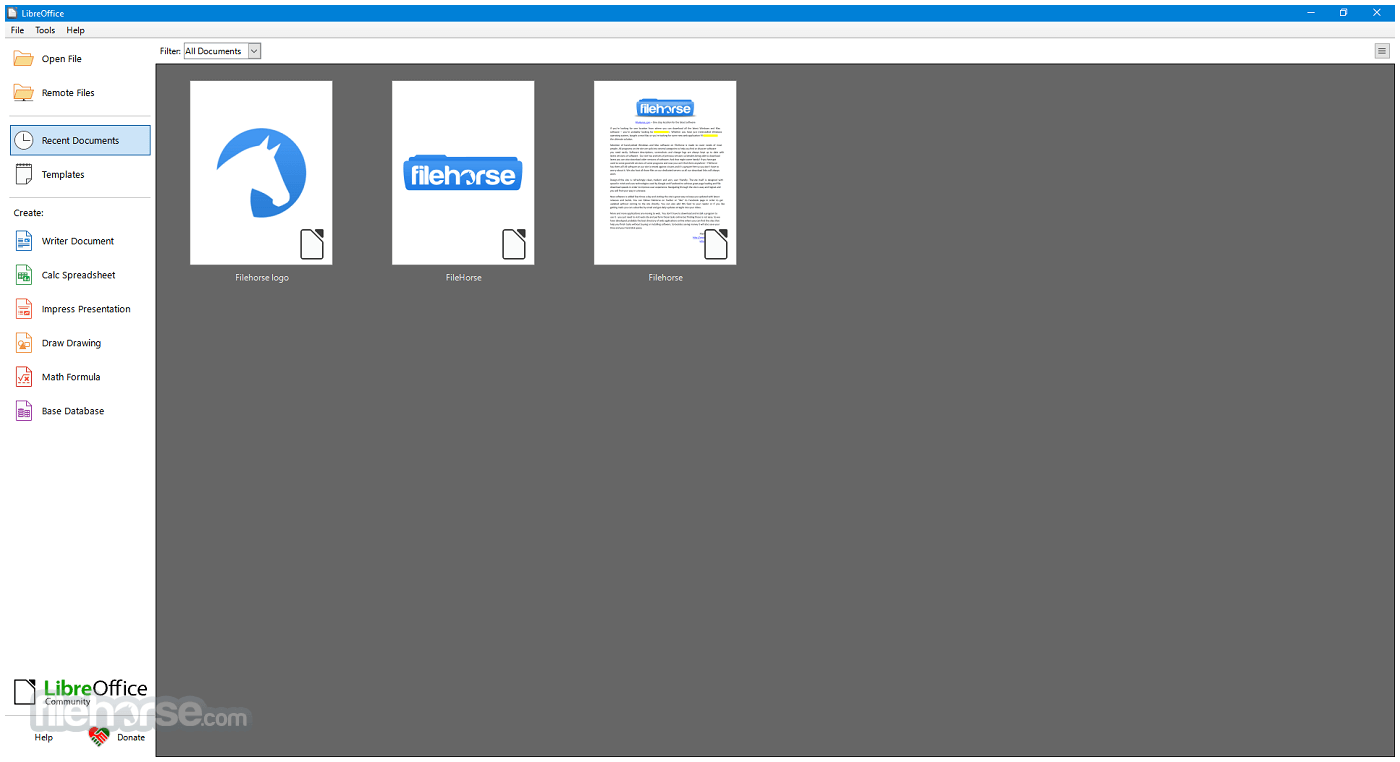
Available for Windows, macOS, and Linux, LibreOffice is particularly popular among users looking for a cost-effective, feature-rich, and privacy-respecting productivity solution.
LibreOffice 64bit is built upon the legacy of OpenOffice and continues to be actively developed by a large community of contributors. For Windows users, it presents an excellent option for both personal and professional use.
What`s New
- Improved compatibility with Microsoft Office file formats (DOCX, XLSX, PPTX).
- Enhanced performance when opening large documents and spreadsheets.
- Refined user interface with updated icons and theme improvements.
- Writer updates with better comment handling and change tracking.
- Calc improvements including new functions and faster recalculation.
- Impress enhancements with smoother slide transitions and export options.
- Improved PDF export with added security and accessibility options.
- Stronger interoperability with modern OpenDocument (ODF) standards.
- Better spell-checking and language support updates.
- Bug fixes and stability improvements across all modules.
Writer: A word processor for creating letters, reports, books, and more.
Calc: A spreadsheet program similar to Microsoft Excel, supporting complex formulas, charts, and data analysis tools.
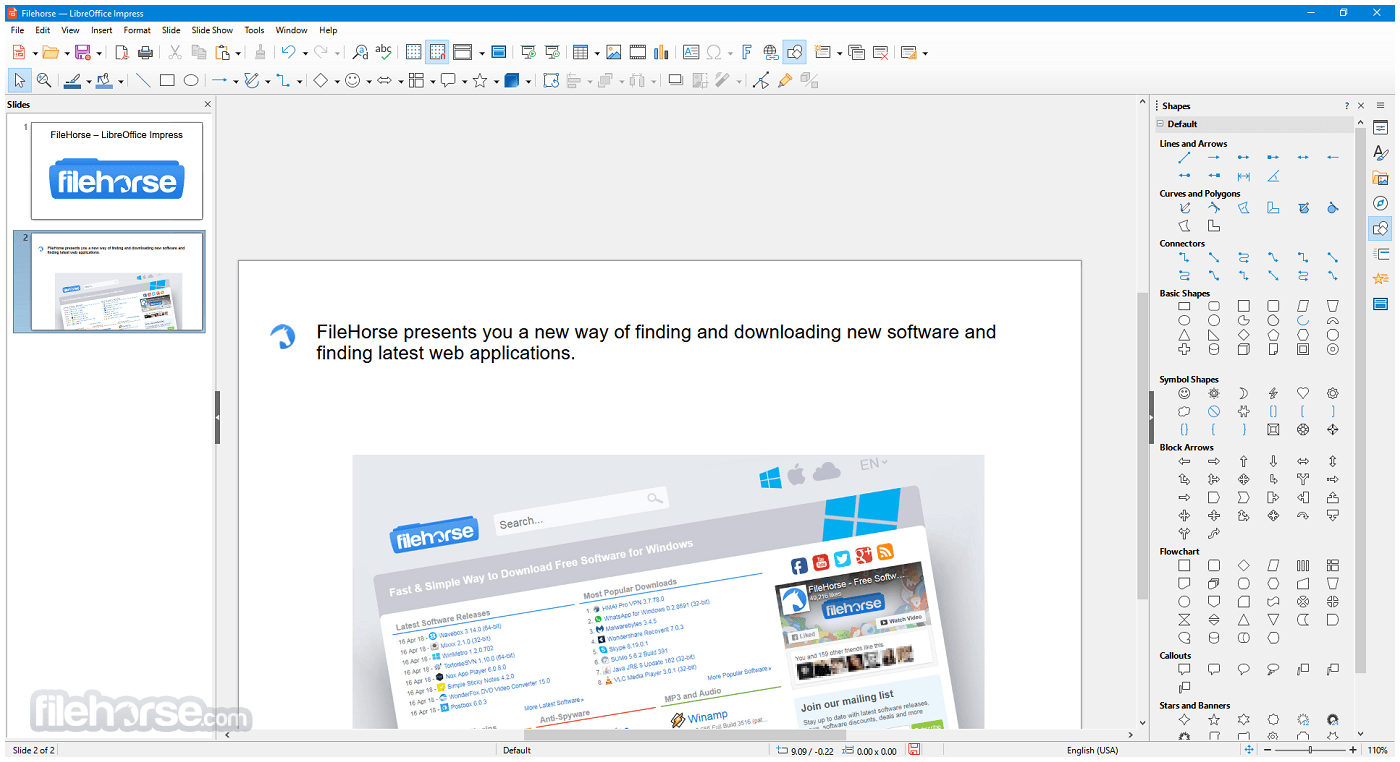
Impress: A presentation tool for creating slideshows, supporting multimedia integration and animation.
Draw: A vector graphics editor that allows diagramming, flowcharts, brochures, and technical drawings.
Base: A database front-end similar to Microsoft Access, useful for creating and managing databases.
Math: A formula editor for writing mathematical and scientific equations.
It also supports a wide range of document formats, including Microsoft Word (.doc/.docx), Excel (.xls/.xlsx), and PowerPoint (.ppt/.pptx), as well as its own native Open Document Format (ODF).
User Interface
The app sports a traditional desktop application UI, ideal for users who prefer a more classic, menu-driven interface over ribbon-style layouts. However, for those who enjoy a more modern look, LibreOffice includes an optional “Tabbed” interface that mimics the feel of Microsoft Office’s ribbon.
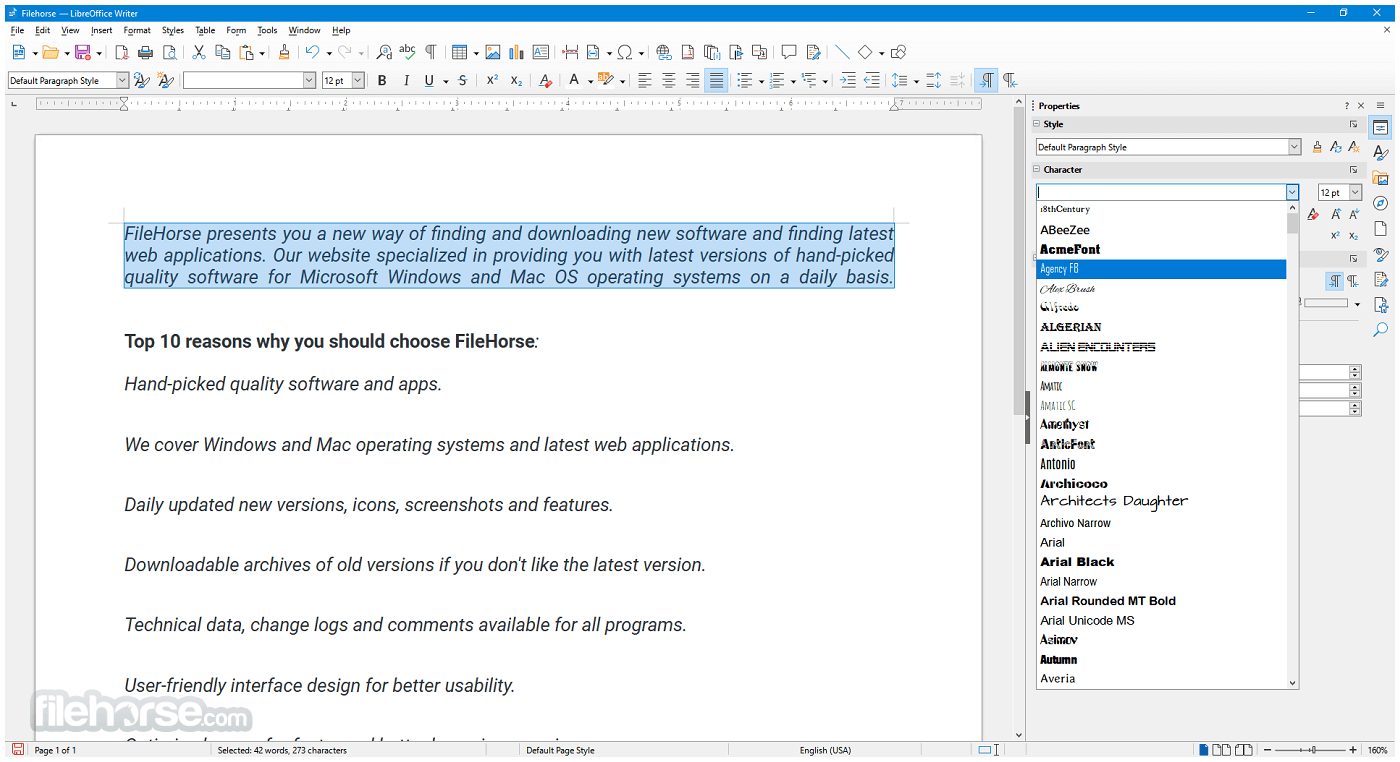
The UI is generally consistent across all modules, which makes learning the suite easier. Customization options are extensive, with the ability to personalize toolbars, menus, keyboard shortcuts, and themes.
While not as sleek or polished as some proprietary alternatives, the interface is functional, intuitive, and gets the job done.
Installation and Setup
- Download the latest stable version for Windows.
- Run the installer file and follow the step-by-step setup instructions.
- Choose between a Typical or Custom installation.
- The software installs all modules by default, but users can select specific components if needed.
- The entire installation typically completes within a few minutes. No additional bloatware or third-party software is included.
Launching Applications: After installation, you can open individual components like Writer, Calc, or Impress directly from the Start Menu or the LibreOffice launcher.
Creating Documents: Create a new document by selecting a template or blank file. Each module includes templates to get started quickly.
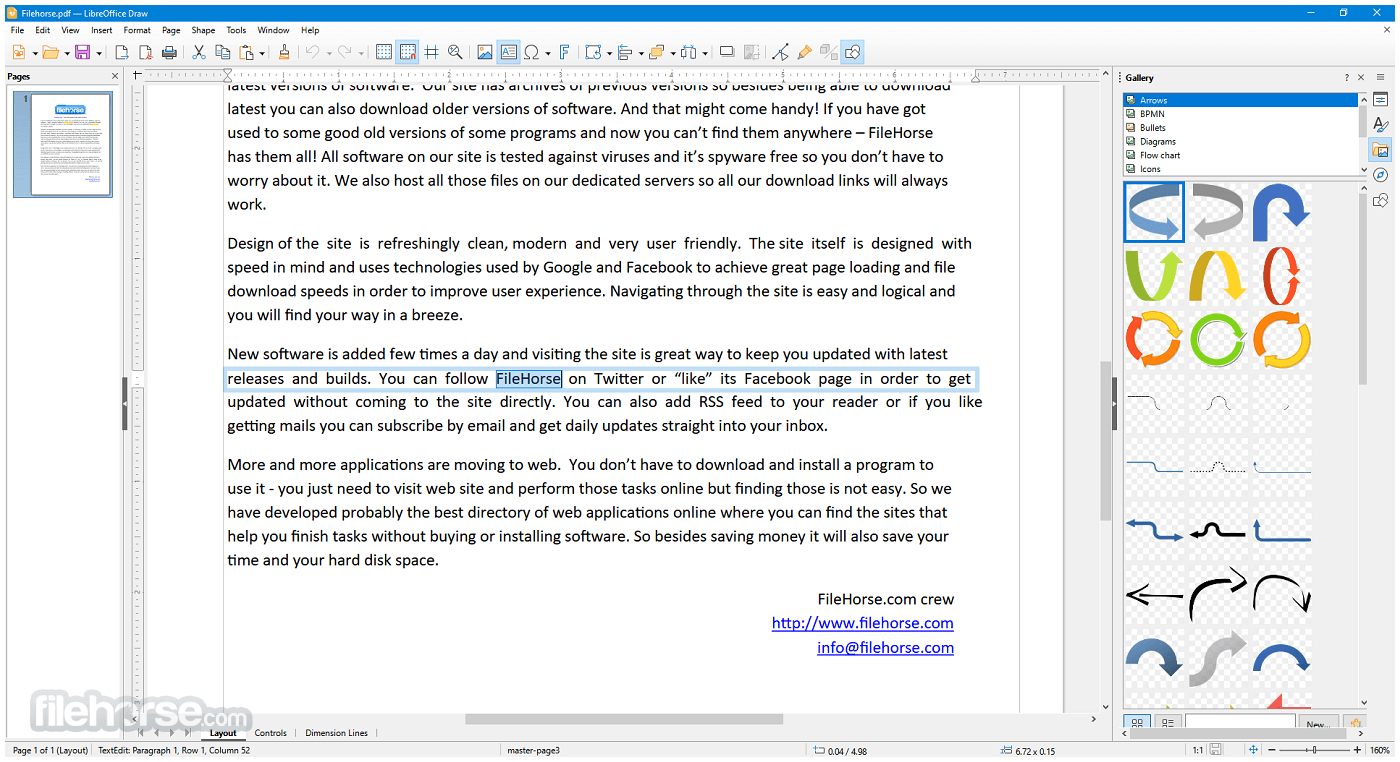
Saving and Exporting: Documents can be saved in ODF format or exported to Microsoft formats or PDF.
Collaboration: While LibreOffice doesn’t offer real-time cloud-based collaboration, it supports comments, change tracking, and version comparison.
It provides helpful documentation and a vibrant community forum for new users. There's also a built-in help system and tooltips for guidance.
FAQs
Can LibreOffice open Microsoft Office files?
Yes, it can open and edit Word, Excel, and PowerPoint files, including both older (.doc, .xls) and newer (.docx, .xlsx) formats.
Is LibreOffice 64bit completely free?
Yes, this program is 100% free to download and use, with no subscriptions, ads, or licensing fees.
Does LibreOffice work offline?
Yes, all applications in LibreOffice are desktop-based and work fully offline.
Can I use LibreOffice for business?
Absolutely. LibreOffice is licensed under the Mozilla Public License, making it suitable for both personal and commercial use.
Are there updates or support available?
The software receives regular updates from The Document Foundation. While community support is free, professional support is available via certified partners.
Alternatives
Apache OpenOffice: Similar origins to LibreOffice but less actively developed.
WPS Office: A lightweight, freemium office suite that offers a UI similar to Microsoft Office.
OnlyOffice: Another open-source alternative focused on collaboration and Microsoft format compatibility.
Microsoft Office: The industry standard, with robust features and cloud integration, but requires a paid license.
Google Workspace: Cloud-based and ideal for collaboration, but dependent on an internet connection and less powerful for complex tasks.
Pricing
This program is entirely FREE. It is open-source software, which means there are no hidden costs, license renewals, or advertisements.
You can download, install, and use it for as long as you like.
Users and organizations who benefit from LibreOffice are encouraged to contribute to its development, either through donations or code contributions.
System Requirements
- Operating System: Windows 11, 10, 8 or 7 (64-bit)
- Processor: Pentium-compatible PC (Pentium III or later)
- RAM: Minimum 256 MB RAM (512 MB recommended)
- Hard Drive: At least 1.5 GB of free space
- Display: 1024x768 resolution (higher recommended)
PROS
- Free and open-source
- Rich feature set comparable to paid alternatives
- Excellent compatibility with Microsoft Office formats
- Regular updates and strong community support
- Cross-platform support
- No built-in cloud collaboration tools
- Slightly outdated interface compared to competitors
- Compatibility issues with some complex Office documents
- Lacks integrated email client or scheduling features
- Occasional performance lag with large files
LibreOffice 64bit for Windows PC is a powerful, versatile, and completely free office suite that continues to improve with every release. It covers the full spectrum of office productivity needs—from writing and number crunching to presentations and database management.
While it may lack some of the polish and integrated cloud features of commercial alternatives, its strengths lie in its flexibility, strong document compatibility, and active community-driven development.
Note: Requires Java Runtime Environment. Administrator rights are needed for the installation process.
Also Available: LibreOffice (32-bit) and LibreOffice for Mac
-
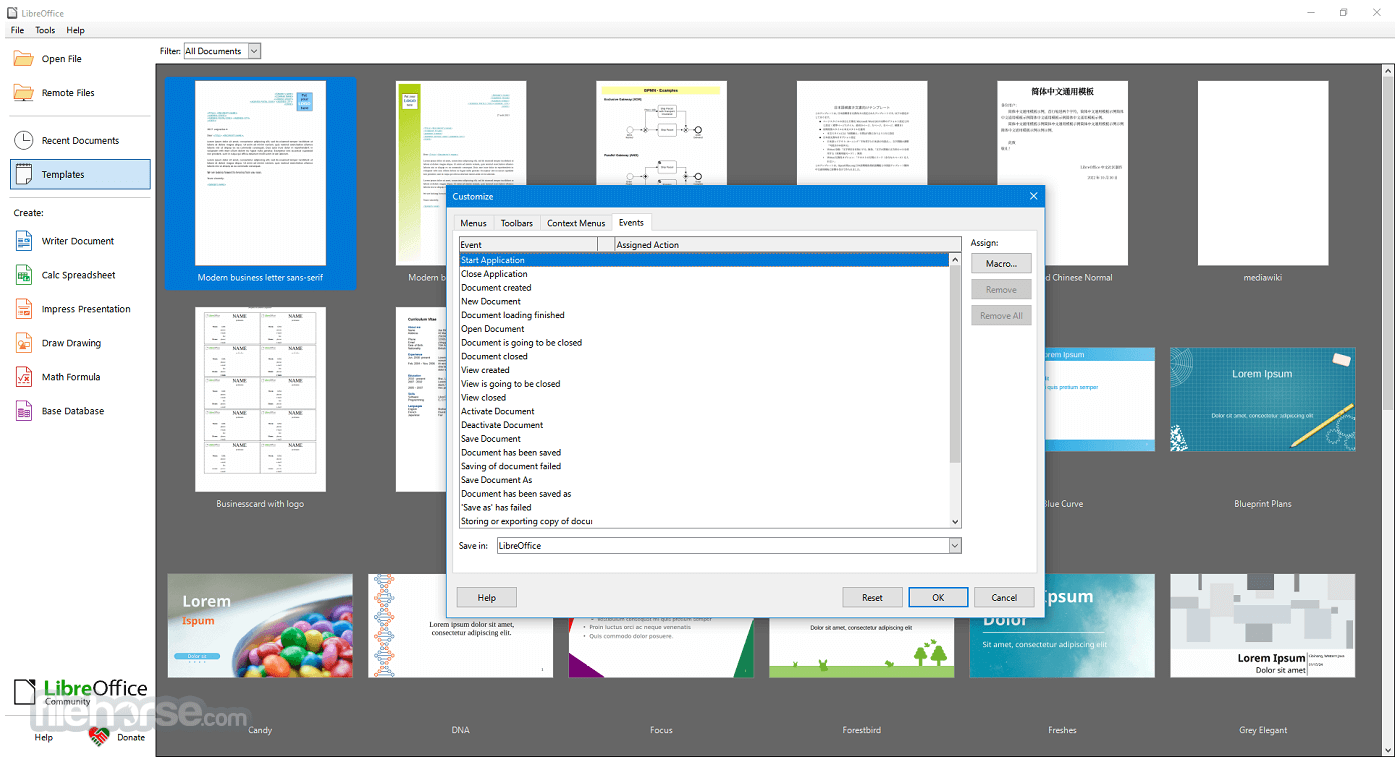
LibreOffice 26.2.1 (64-bit) Screenshots
The images below have been resized. Click on them to view the screenshots in full size.
-
-
-
-
What's new in this version:
Writer:
- Anchored objects are no longer selected after pasting. The old behaviour can be restored by setting the expert option Office::Writer::Cursor::Option::SelectPastedAnchoredObject to true.
- Floating tables and the keep-with-next/don't split paragraph attributes now work better together in Writer
- Change tracking: old direct format of format redlines are now preserved for ODT and are improved for DOCX
- Change tracking: it is now possible to decide which change to accept for interdependent changes
- Floating tables can now be split into floating tables, which improves DOCX export.
- When changing one numbered list by joining it to a previous one
- Spell checking dialog: various papercut fixes. Correct-All list no longer cleared unnecessarily
- Record Track Changes: Partly-deleted paragraphs added to the hidden list. In this way, track changes for partly-deleted paragraphs will not be displayed in the numbering list.
- Writer now takes line spacing into account for field shadings. In this way, bottom of some letters
- Do not show line numbering in footnote during DOCX import.
- Pasting a single image from the clipboard now automatically inserts a caption, following the Writer AutoCaption Images configuration setting.
- Writer now supports Start and End paragraph alignment. These options align paragraphs relative to the paragraph text direction, and can simplify reusing styles across languages and writing systems.
- Writer can now automatically set the direction of RTL text while typing. This behavior can be added to a paragraph style by checking the "Automatically set direction" option in the alignment tab of the paragraph dialog.
- Writer now displays a more visible grid, and the Snap to Grid functionality now accurately aligns objects with the grid.
Calc:
- Calc now supports xmlMaps.xml
- Improvements to the Sort dialog options
- When natural sort is enabled in the Sort dialog options, you have an additional choice to treat decimal separators as regular characters. That allows to sort IP addresses, for example, even if your locale has a dot as decimal separator. The fact that natural sort is enabled is now written to the file and thus retained when reopening the file. tdf#161949
- The locale setting in the options of the Sort dialog is now written to the file and thus retained. Setting the locale effects not only the choice of a special sort algorithm but now it effects other locale dependent sorting properties too, e.g. which character is used as decimal separator for natural sort. tdf#168175.
- Support for Biff12
- Excel 2010+ was made the default format when saving as XLSX. It was renamed from 'Office Open XML Spreadsheet' to 'Excel 2010–365 Spreadsheet'.
- Modifying a formula to Matrix mode can now simply be done by F2, ⇧ Shift+Ctrl+↵ Enter. No need to change formula itself.
- The commands to set the font and the background color
- Expert option Office::Calc::Content::Display::NoteTransparency allows users to switch off transparency for comments
- Column titles don't overlap anymore when column widths are small
Performance:
- Scrolling speed was improved when a spreadsheet has many hiding columns
- Spreadsheets with lots of shapes are now faster to work with
- Removal of duplicate entries is now faster
- Reject tracked changes is faster
- Exporting SVGs with lots of bitmaps was optimized
Impress:
- Introduced Microsoft Media Foundation APIs on Windows to support video and audio playback of common codecs. Managing video playback with MFPlay. About the supported video and audio file formats.
Base:
- Base is now truly multi-user
Chart:
- Hovering with the mouse over Chart data range colour palette entries in the Sidebar now shows a live preview in the active chart.
- Some OOXML chart style content now round-trips through LibreOffice
Performance:
- Performance issues with 3D charts were fixed
Core / General:
- Added connector support for Writer and Calc. The object path in the standard toolbar: Insert ▸ Shape ▸ Connectors. The object path in the tabbed user interface: Insert ▸ Connectors
- Fonts for which the license disallows editing, which are embedded in documents, are now supported. Previously, they were silently ignored, and the documents were displayed using substitute fonts. Now the user is asked if they want to open the document in edit mode
- Google Drive authentication was improved to use normal browser method
- PDF export: handle document external links.
Filters:
- Generic XML and JSON mapping to Calc:
- Generic XML and JSON documents with linkable ranges are now automatically mapped to sheets in Calc. A linkable range is a section of a document containing tabular records. When a document contains multiple linkable ranges, each range gets mapped to a single sheet.
DOCX:
- Improved line height handling of Chinese, Japanese, and Korean DOC/DOCX documents.
Markdown:
- Added support for exporting to Markdown format
- Added support for importing from Markdown format, either via files or via the clipboard
- Added support for using ODT/DOCX templates while importing a Markdown document
EPUB:
- EPUB export was made much faster, and a progress bar is shown during export
Graphics:
- The Skia graphics engine is now mandatory on both Windows and macOS
Performance:
- Rendering of shape fills was made more performant
- Rendering of SVGs with pattern fills is now faster on Linux
User Interface:
- All dialogs use vertical tabs with icons now
- Option to use horizontal tabs instead vertical
- The Layouts panel in the Impress Sidebar now uses a native IconView widget instead of the ValueSet widget
- The Theme dialog now uses a native IconView widget instead of the ValueSet widget
- The Presets and Shadow Style Positions from the border page dialog now use a native IconView widget instead of the ValueSet widget
- The Go to Page/Slide/Sheet dialogs are now async
- Allow inserting hyperlink via context menu
- Dialog screenshots can now be copied to the clipboard for immediate pasting in documents
- On Linux, the native GTK and Qt color picker dialogs are now used by default instead of the custom LibreOffice one. This can be configured in Tools ▸ Options ▸ LibreOffice ▸ General
- The page size dropdown in the NotebookBar is now visually more consistent with the rest of the User Interface and it displays the full names of the available page sizes.
- New symbols for unordered lists
- Image library for unordered lists
Accessibility:
- Accessibility of the border previews in the Border tab of various dialogs
- When the Tools ▸ Spelling dialog shows up, it is now properly announced by the Orca screen reader on Linux.
- Removing the accessible selection no longer unexpectedly sets the caret to the beginning of the text.
- The Help ▸ Check for Updates... dialog is now screen reader accessible
- Spelling errors in Writer are now only reported to assistive technology when automatic spell checking is actually enabled.
- Keyboard accessibility for the Tools ▸ Extensions... dialog has been improved
- It is now possible to switch between vertical tabs using keyboard shortcuts
Scripting:
- The version of the internal Python is 3.12
- Ship sqlite3 with internal python
- Ship dbm with internal python
- Ship venv with internal python
- Ship lzma with internal python
 OperaOpera 128.0 Build 5807.37 (64-bit)
 Kling AIKling AI - Text or Image to Video
 PhotoshopAdobe Photoshop CC 2026 27.4 (64-bit)
 BlueStacksBlueStacks 10.42.166.1001
 OKXOKX - Buy Bitcoin or Ethereum
 CapCutCapCut 7.9.0
 PC RepairPC Repair Tool 2026
 Hero WarsHero Wars - Online Action Game
 TradingViewTradingView - Trusted by 100 Million Traders
 AdGuard VPNAdGuard VPN 2.9.0
Comments and User Reviews