




 Warships
 World of Tanks
 FC 26
FC 26 Polytoria
 eFootball 2026
 FM 26
FM 26 War Robots
-
Latest Version
OptiFine 1.21.11 HD U J9 LATEST
-
Review by
-
Operating System
Windows 7 / Windows 8 / Windows 10 / Windows 11
-
User Rating
Click to vote -
Author / Product
-
Filename
OptiFine_1.21.11_HD_U_J9.jar
-
MD5 Checksum
a1ce0d17ef1fc016582a82234cccf2f1
OptiFine HD Ultra has the most optimizations and features that can increase FPS. OptiFine Standard is more compatible with other mods. OptiFine Light may be more helpful for underpowered laptops and notebooks, but it does not have any advanced features and is not compatible with ModLoader and Forge.

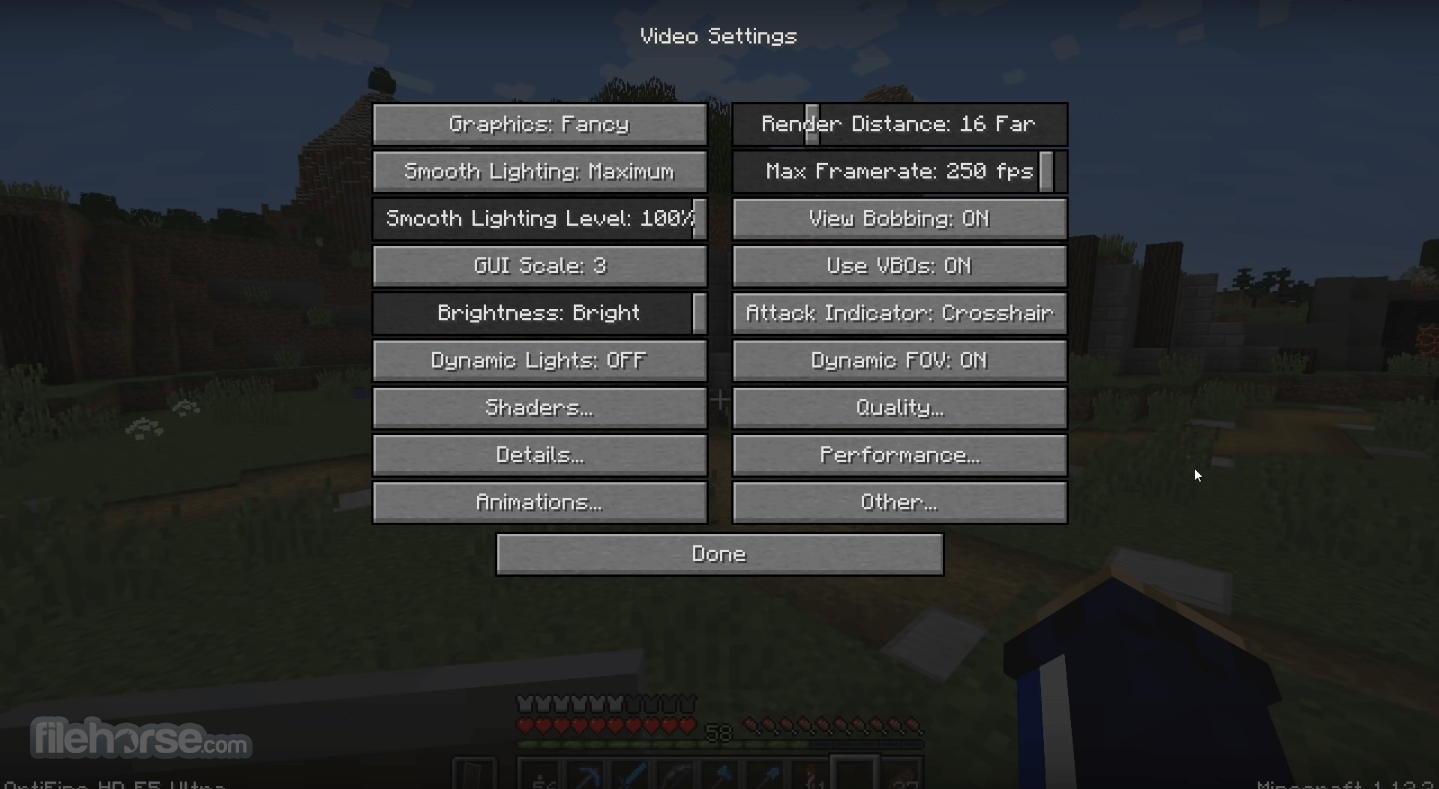
It comes with many optimizations that should increase the FPS without any configuration. You can further increase the FPS by configuring the Video Settings and finding the trade-off between quality and performance that works best for you.
Features and Highlights
FPS boost
- Doubling the FPS is common
- Decreases lag spikes and smooth gameplay
- HD textures and HD fonts (MCPatcher not needed)
- custom terrain and item textures
- animated terrain and item textures
- custom HD Font character widths
- custom colors
- custom block color palettes
- custom lighting
- unlimited texture size
Support for Shaders
- based on the Shaders Mod by Karyonix
- allows handheld and dropped light-emitting items to illuminate the objects around them
- similar, but not related to the Dynamic Lights mod
- from Tiny to Extreme (2 x Far) in 16m steps
- sun, moon, and stars are visible in Tiny and Short distances
- from 1% - smooth lighting without shadows
- to 100% - smooth lighting with full shadows
Synchronizes framerate with monitor refresh rate to remove split frames and smooth gameplay

Smart Advanced OpenGL
- more efficient, fewer artifacts
- Fast - faster, some artifacts still visible
- Fancy - slower, avoids visual artifacts
- Fog: Fancy, Fast, OFF
- Fog start: Near, Far
- A visual effect that makes distant objects look better by smoothing the texture details
- Mipmap level - OFF, 1, 2, 3, Max
- Mipmap type - Nearest, Linear
- Restores details in mipmapped textures
- AF level - OFF, 2, 4, 8, 16 (depends on hardware support)
- Smooths jagged lines and sharp color transitions
- AA level - OFF, 2, 4, 6, 8, 12, 16 (depends on hardware support)
Fixes grass blocks' side texture to match the surrounding grass terrain
Better Snow
Fixes transparent block textures to match the surrounding snow terrain
Clear Water
Clear, transparent water with good visibility underwater
Random Mobs
Use random mob textures if available in the texture pack

Connected Textures
Connects textures for glass, glass panes, sandstone, and bookshelf blocks that are next to each other.
Natural Textures
Removes the gridlike pattern created by repeating blocks of the same type. Uses rotated and flipped variants of the base block texture.
FPS control
- Smooth FPS - stabilizes FPS by flushing the graphics driver buffers
- Smooth Input - fixes stuck keys, slow input, and sound lag by setting correct thread priorities
- Load Far - loads the world chunks at distance Far, allowing fast render distance switching
- Preloaded Chunks - defines an area in which no new chunks will be loaded
- Chunk Updates per Frame - allows for faster world loading
- Dynamic Updates - loads more chunks per frame when the player is standing still
Switch the current Texturepack without leaving the world
Fullscreen Resolution
Configurable full-screen resolution
Debug
- Fast Debug Info - removes lagometer from debug screen
- Debug Profiler - removes profiler from the debug screen
Default, Day Only, or Night Only - works only in Creative mode
Autosave
- Configurable Autosave interval
- A fix for the famous Lag Spike of Death

What's new - OptiFine 1.21.11_HD_U_J9
- Resolved the issue with the new version check notification
- Introduced random entities options: seedOffset and seedSource
- Corrected random entities' property parsing behavior
- Added CEM models for copper golem statues
- Updated BlockModel getters to align with record field naming (reobfuscation fix)
- Fixed CEM models for warm chicken and warm pig
- Corrected the CEM dragon eyes rendering layer
- Adjusted CEM leash positioning and shadow alignment
- Fixed CEM models for villager, breeze eyes, pig/strider saddle, and happy ghost ropes
- Added CEM sheep wool undercoat and improved dragon eyes & tropical fish models
- Fixed CEM models for villager, zombie villager, warden, and breeze
- Corrected CEM camel and horse saddle animations
- Added new CEM models: nautilus, zombie_nautilus, and zombie_nautilus_coral
- Introduced CEM models for copper_golem, happy_ghast, and parched
- Removed fallback behavior where baby horse/donkey/mule models defaulted to adult versions
- Added warm and cold CEM variants for chicken, cow, and pig
- Added CEM saddle models, camel husk, and undead horse armor
- Improved CIT initialization to properly detect failed model loads
- Fixed emissive CTM compact issue (#8111)
- Corrected shaders, terrain textureMatrix handling in shadow pass (#8113)
- Fixed custom CIT models incorrectly using block textures (#8110)
- Resolved shaders normal/specular initialization issue (#8112)
- Fixed cloud stuttering
- Updated compatibility with Forge 61.0.8
What is OptiFine, and what does it do?
OptiFine is a Minecraft optimization mod that enhances graphics performance and visuals. It improves frame rates, adds support for HD textures and shaders, and provides advanced graphical settings for smoother gameplay and better customization.
How do I install OptiFine for Minecraft?
To install OptiFine, you first need to download the correct version that matches your Minecraft release from the official OptiFine website. Then, simply run the downloaded .jar file, which automatically creates a new OptiFine profile in your Minecraft launcher.
Is OptiFine safe to use?
Yes, OptiFine is completely safe when downloaded from its official website (optifine.net). However, users should avoid third-party sources, as unofficial downloads may contain malware or modified files.
Can OptiFine be used with other Minecraft mods?
Yes, OptiFine is compatible with many popular Minecraft mods, especially when used alongside Forge. However, compatibility can vary depending on the Minecraft version and specific mod combinations, so testing or checking community compatibility lists is recommended.
The top alternatives to OptiFine:
ATLauncher - User-friendly launcher with mod pack support.
Technic Launcher - Popular launcher for modded Minecraft packs.
TLauncher - Versatile Minecraft launcher with mod options.
CurseForge App - Official launcher for CurseForge mod packs.
Badlion Client - Enhanced client with mods and optimizations.
Minecraft Launcher - Official launcher by Mojang Studios.
FTB Launcher - The official launcher for Feed The Beast modpacks.
PROS
- Enhanced Graphics Quality
- Boosts Game Performance
- Customizable Settings
- Supports HD Textures
- Built-in Shader Support
- Compatibility Issues with Some Mods
- Complex Setup for Beginners
- Infrequent Updates
- Potential Stability Problems
- Limited Support for Low-end PCs
-
OptiFine 1.21.11 HD U J9 Screenshots
The images below have been resized. Click on them to view the screenshots in full size.
-
-
-
-
What's new in this version:
- fixed new version check message
- added random entities seedOffset and seedSource
- fixed random entities property parsing
- added CEM models for copper golem statues
- fixed BlockModel getters to match record field names (reobfuscation)
- fixed CEM warm chicken and warm pig
- fixed CEM dragon eyes layer
- fixed CEM leash offset and shadow offset
- fixed CEM villager, breee eyes, pig/strider saddle, happy ghast ropes
- added CEM sheep wool undercoat, fixed dragon eyes, tropical fish
- fixed CEM villager, zombie villager, warden and breeze models
- fixed CEM camel and horse saddle animation
- added CEM models nautilus, zombie_nautilus and zombie_nautilus_coral
- added CEM models copper_golem, happy_ghast and parched
- removed fallback of CEM baby horse/donkey/mule models to adult model
- added CEM warm/cold variants of chicken, cow and pig
- added CEM saddle models, camel husk, undead horse armor
- fixed CIT initialization to detect failed model loading
- fixed emissive CTM compact (#8111)
- fixed shaders terrain textureMatrix in shadow pass (#8113)
- fixed custom CIT models using block textures (#8110)
- fixed shaders normal/specular initialization (#8112)
- fixed stuttering clouds (#8109)
- compatible with Forge 61.0.8
 OperaOpera 128.0 Build 5807.52 (64-bit)
 Kling AIKling AI - Text or Image to Video
 PhotoshopAdobe Photoshop CC 2026 27.4 (64-bit)
 BlueStacksBlueStacks 10.42.166.1001
 OKXOKX - Buy Bitcoin or Ethereum
 CapCutCapCut 7.9.0
 PC RepairPC Repair Tool 2026
 Hero WarsHero Wars - Online Action Game
 TradingViewTradingView - Trusted by 100 Million Traders
 AdGuard VPNAdGuard VPN 2.9.0
Comments and User Reviews