




 PDFelement
 Genspark AI
 Edraw AI
 BookFab
 WPS Office
 Adobe Acrobat
-
Latest Version
HiPDF - Online PDF Editor LATEST
-
Review by
-
Operating System
Windows 7 / Windows 8 / Windows 10 / Windows 11
-
User Rating
Click to vote -
Author / Product
HiPDF is a fully featured online PDF editor that offers everyone access to a large selection of PDF editing tools and AI services that can revolutionize the way users interact with their home, school, and work documents.
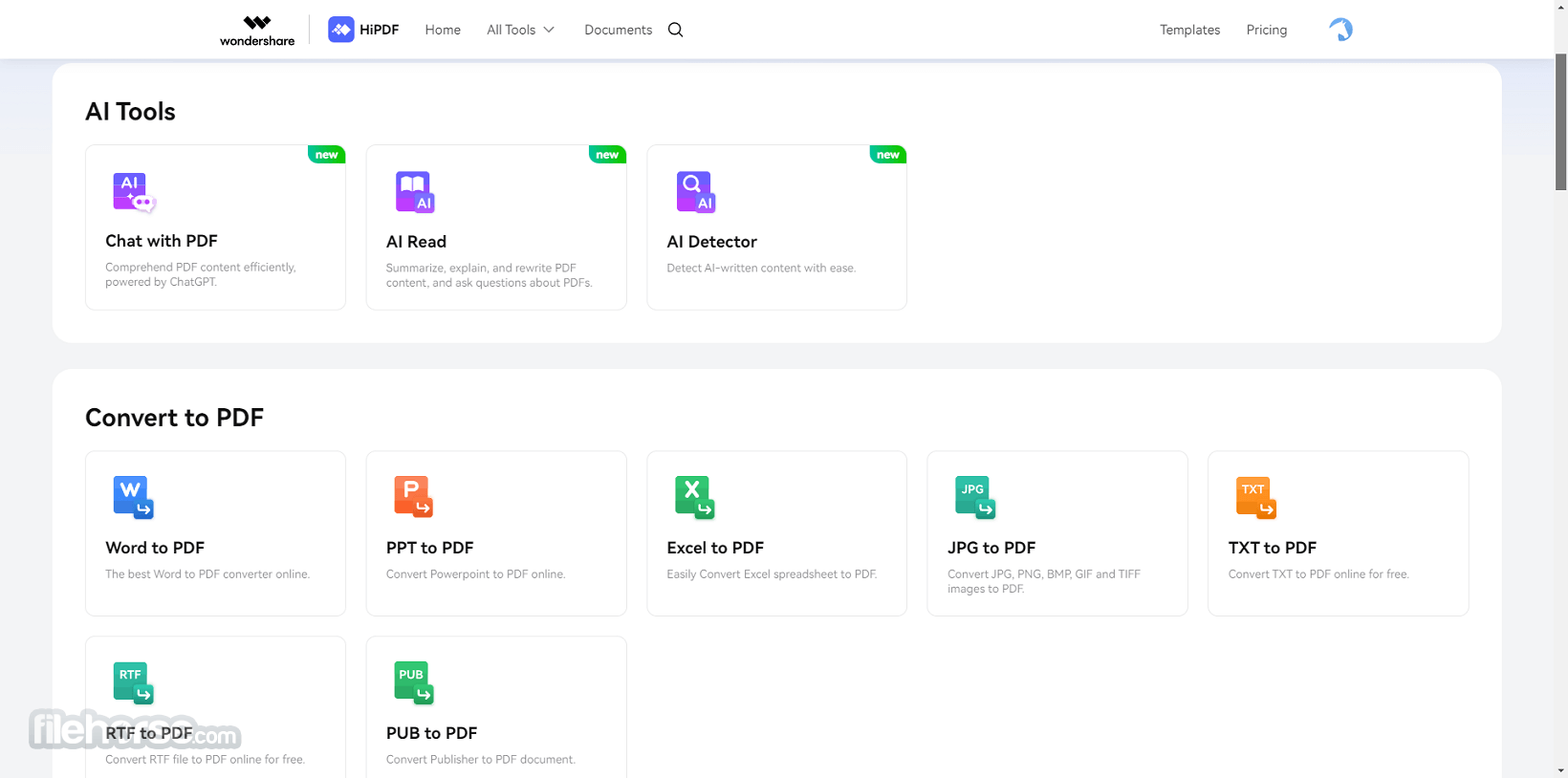
The core unique functionality this service offers is the ability to scan data in PDF documents and start chatting with a ChatGPT bot about data from the file, essentially enabling users to talk to their PDFs.
Other available AI tools are there to offer streamlined summaries, explanations, rewriting, and AI text detection services.
Since it is fully hosted in the cloud, this HiPDF for PC app can easily be used not only in a home environment, but also by schools and businesses who can take greater advantage of its advanced PDF conversion, editing, organizing, protection, and sharing tools.
Key Features
Since this is an online tool that can be used directly in a web browser, users are not required to download any standalone local app on their Windows PC. To start using this cloud-powered service, users simply need to visit the official website and access the PDF editor from any platform.
All new users can test its premium tools, but a permanent free tier of use is also fully supported.
How to Use
To edit a PDF using HiPDF, users can upload the file to the platform, make the necessary edits, such as adding text, images, or shapes, and then download the edited PDF. The platform is user-friendly and does not require any specialized software or technical knowledge.

The editor supports all basic PDF editing options users can expect, including PDF merging, splitting, extracting images, rearranging pages, OCR text detection, security management, cropping, and image conversion, and much more.
User Interface
HiPDF's user interface is designed to be intuitive and easy to navigate, providing users with a seamless editing experience. The platform offers a variety of tools for editing and managing PDFs, and the AI-powered features contribute to efficient and accurate processing.

FAQs
What is HiPDF?
It is an online PDF editor that offers a wide range of editing tools and utilizes AI for efficient processing and a unique “chat with PDF” feature.
Is it safe?
Yes, this is a safe and reliable app that will not compromise users’ private and confidential PDF data. The service automatically deletes all uploaded files 60 minutes after processing.
What PDF Conversion options are available?
PDFelement by Wondershare - A comprehensive PDF editor with a wide selection of advanced editing, conversion, annotation, and privacy tools.
Adobe Acrobat Pro - Full Creative Control Over Your PDFs - Edit, Annotate, Secure, and More!
Smallpdf - A versatile cloud-powered PDF editor with an extensive set of tools.
pdfFiller - A popular PDF program with full support for PDF conversion, merging, splitting, and compression.
iTop PDF - Edit PDF with an easy and full-featured PDF editor on PC.
Pricing
Basic Plan - $39.99 /year
Everything in Basic, plus:
This is an online tool that can be accessed from any modern web browser.
PROS
HiPDF is a flexible and secure online PDF editor that expands on the traditional editor formula by adding several notable AI-powered tools for efficient processing and gaining insights from the available PDF data. Its most popular AI tool is “Chat with PDF”, which enables anyone to seamlessly talk with an expert AI that is trained on their home, school, or business data provided by PDF documents.
While this app may not be suitable for advanced or heavy PDF workloads, its innovative AI services make it an attractive option for those seeking to extract additional value from their PDF data.
The core unique functionality this service offers is the ability to scan data in PDF documents and start chatting with a ChatGPT bot about data from the file, essentially enabling users to talk to their PDFs.
Other available AI tools are there to offer streamlined summaries, explanations, rewriting, and AI text detection services.
Since it is fully hosted in the cloud, this HiPDF for PC app can easily be used not only in a home environment, but also by schools and businesses who can take greater advantage of its advanced PDF conversion, editing, organizing, protection, and sharing tools.
Key Features
- PDF text editing, annotation, and image insertion.
- AI-powered tools for accessing insights.
- Chat with PDFs by enabling ChatGPT to train on your documents.
- Wide support for file conversion, imports, and photo management.
- Support for shape drawing and digital signatures.
- Batch processing of PDF documents.
- Built-in OCR.
- Secure and easy to use.
- Flexible pricing options.
Since this is an online tool that can be used directly in a web browser, users are not required to download any standalone local app on their Windows PC. To start using this cloud-powered service, users simply need to visit the official website and access the PDF editor from any platform.
All new users can test its premium tools, but a permanent free tier of use is also fully supported.
How to Use
To edit a PDF using HiPDF, users can upload the file to the platform, make the necessary edits, such as adding text, images, or shapes, and then download the edited PDF. The platform is user-friendly and does not require any specialized software or technical knowledge.
The editor supports all basic PDF editing options users can expect, including PDF merging, splitting, extracting images, rearranging pages, OCR text detection, security management, cropping, and image conversion, and much more.
User Interface
HiPDF's user interface is designed to be intuitive and easy to navigate, providing users with a seamless editing experience. The platform offers a variety of tools for editing and managing PDFs, and the AI-powered features contribute to efficient and accurate processing.
FAQs
What is HiPDF?
It is an online PDF editor that offers a wide range of editing tools and utilizes AI for efficient processing and a unique “chat with PDF” feature.
Is it safe?
Yes, this is a safe and reliable app that will not compromise users’ private and confidential PDF data. The service automatically deletes all uploaded files 60 minutes after processing.
What PDF Conversion options are available?
- To PDF - Word, Excel, PPT, JPG, TXT, RTF, and PUB.
- From PDR - Word, Excel, PPT, JPG, TXT, RTF, Pages, HTML, DXF, and EPUB.
PDFelement by Wondershare - A comprehensive PDF editor with a wide selection of advanced editing, conversion, annotation, and privacy tools.
Adobe Acrobat Pro - Full Creative Control Over Your PDFs - Edit, Annotate, Secure, and More!
Smallpdf - A versatile cloud-powered PDF editor with an extensive set of tools.
pdfFiller - A popular PDF program with full support for PDF conversion, merging, splitting, and compression.
iTop PDF - Edit PDF with an easy and full-featured PDF editor on PC.
Pricing
Basic Plan - $39.99 /year
- Web
- Batch Processing
- Access to OCR
- Access to All PDF, Image, and AI Tools
- Quick File Processing
- Select Processing Range
- Maximum Batch Processing (No limit)
- 100MB Maximum File Size
- Chat with PDF & AI Read: 50 times; up to 260 pages and 100MB per PDF
- AI Detector: 50 times; up to 260 pages and 10MB per PDF
- Ad-Free Interface
Everything in Basic, plus:
- Chat with PDF & AI Read: 1000 times; up to 260 pages and 100MB per PDF
- AI Detector: 1000 times; up to 260 pages and 10MB per PDF
This is an online tool that can be accessed from any modern web browser.
PROS
- AI-powered tools for efficient processing.
- Secure and privacy-guaranteed platform.
- A wide array of traditional PDF management options.
- User-friendly and intuitive interface.
- Optimized for home, school, and business use.
- Limited to online use.
- May not be suitable for advanced or heavy PDF workloads.
HiPDF is a flexible and secure online PDF editor that expands on the traditional editor formula by adding several notable AI-powered tools for efficient processing and gaining insights from the available PDF data. Its most popular AI tool is “Chat with PDF”, which enables anyone to seamlessly talk with an expert AI that is trained on their home, school, or business data provided by PDF documents.
While this app may not be suitable for advanced or heavy PDF workloads, its innovative AI services make it an attractive option for those seeking to extract additional value from their PDF data.
Why is this app published on FileHorse? (More info)
-
HiPDF - Online PDF Editor Screenshots
The images below have been resized. Click on them to view the screenshots in full size.
-
-
-

-

 OperaOpera 129.0 Build 5823.65 (64-bit)
 Kling AIKling AI - Text or Image to Video
 PhotoshopAdobe Photoshop CC 2026 27.5 (64-bit)
 BlueStacksBlueStacks 10.42.167.1001
 OKXOKX - Buy Bitcoin or Ethereum
 CapCutCapCut 7.9.0
 PC RepairPC Repair Tool 2026
 Hero WarsHero Wars - Online Action Game
 TradingViewTradingView - Trusted by 100 Million Traders
 AdGuard VPNAdGuard VPN 2.9.0
Comments and User Reviews