




 Genspark AI
 BookFab
 Wispr Flow
 PDFelement
 Transkriptor
 EasyClaw
 Day One
-
Latest Version
-
Operating System
Windows 7 / Windows 8 / Windows 10 / Windows 11
-
User Rating
Click to vote -
Author / Product
-
Filename
wordpress-7.0.zip
Sometimes latest versions of the software can cause issues when installed on older devices or devices running an older version of the operating system.
Software makers usually fix these issues but it can take them some time. What you can do in the meantime is to download and install an older version of WordPress 7.0.
For those interested in downloading the most recent release of WordPress or reading our review, simply click here.
All old versions distributed on our website are completely virus-free and available for download at no cost.
We would love to hear from you
If you have any questions or ideas that you want to share with us - head over to our Contact page and let us know. We value your feedback!
-
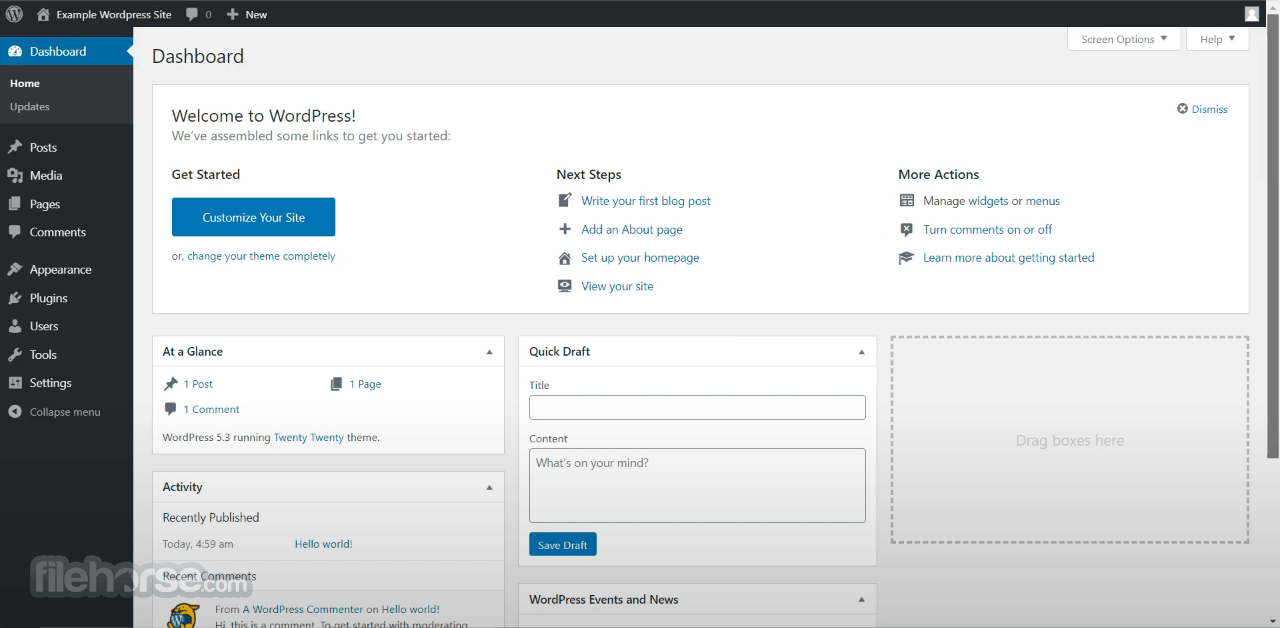
WordPress 7.0 Screenshots
The images below have been resized. Click on them to view the screenshots in full size.
-

-

What's new in this version:
What’s inside:
- Explore AI abilities directly in your website, all managed from a central hub. Slide seamlessly through the sleek, new admin theme implemented across the dashboard. Ignite creative flow with new blocks and design tools, and tap into an expansive developer toolbox that gives you more control than ever, letting you create your way.
AI-Integrated WordPress:
Possibilities right in your hands:
- With AI integrated throughout WordPress the potential is endless. A new AI Client in Core lets WordPress communicate with generative AI models, while connections are easily managed from a single hub in the dashboard. The AI Client combined with the Abilities API makes a fiery duo that introduces new functionality, workflow automation, and creation tools to your website. Install the new AI plugin to expand your options even more: generate and edit images, create titles or excerpts, or even suggest alt text.
- 7.0 also includes a new Client-Side Abilities package: a Javascript counterpart to the Abilities API, with a built in UI and command palette that delivers extensive new and hybrid AI abilities.
- Manage all your external connections in a central hub on the Connector’s screen. Easily dive in with 3 presets, or add your own connections. Authenticate and get started with AI abilities in just a few clicks.
- An AI-integrated WordPress promises infinite potential, ready to be discovered
Modernized Dashboard:
- Elevate your admin experience
- 7.0 introduces a fully revitalized dashboard with a chic, modern new color scheme, and clean finishes throughout
- Polished with smooth transitions that seamlessly shift as you move between screens, you’ll feel like you’re effortlessly gliding through the dashboard
- Just one click of the new Command Palette shortcut, a ⌘K or Ctrl+K icon in the upper admin bar, lets you access your favorite tools from anywhere in the dashboard
- Explore typography from one place, regardless of theme. Install, upload and manage your font collection from the new dedicated font management page, with support for block, hybrid and classic themes.
- Visually scrub through revision versions to see what changed at a glance, with markers that make editorial choices more intuitive. Easily pick the revision you want and restore instantly.
Design, Create, Customize:
A simpler way to build:
- Let WordPress be your muse with new blocks, block supports, and design tools that add visual agility, granular control, and keep every element of your website on brand, with fresh new touches
- Showcase your ideas in a lightbox slideshow with the new gallery block, and finesse your markup with the new Heading block. Deliver clear site navigation with the new Breadcrumbs block, and add more detail to your designs with the new Icons block.
- Enhanced responsiveness controls in 7.0 make your site more user friendly. Hide and reveal blocks based on device, without affecting other viewports. Adjust styles for different breakpoints, and customize what those breakpoints are.
- Design and build your menu overlay with blocks and patterns, fully customizable with the styles you want visitors to see. Add columns, stylize typography, or embed your own close button in the overlay. Start with a template or create your own menu from scratch.
- Fine tune page design and layout with Patterns that act as a single unit, detachable for more isolated control. Insert your pattern, swap elements and customize with ease.
- Style every detail of content with custom CSS at the block level, right in your post or page.
Developer’s toolbox:
Advanced tools for building your way:
- WordPress 7.0 lets you build faster, better, stronger, and easier with an extensive set of expanded APIs and enhanced functionality
- Create blocks and patterns on the server level using only PHP, auto-registered with the block API
- Explore a more extensible Site Editor, with routing, route validation, and a new wordpress/boot package that allows plugins to build custom site-editor pages
 OperaOpera 135.0 Build 5973.133 (64-bit)
 LDPlayerLDPlayer - Android Emulator
 BlueStacksBlueStacks 10.42.265.1001
 MalwarebytesMalwarebytes Premium 5.7.0
 Premiere ProAdobe Premiere Pro CC 2026 26.5
 CapCutCapCut Desktop 9.3.0
 PC RepairPC Repair Tool 2026
 Adobe AcrobatAdobe Acrobat Pro 2026.002.21901
 TradingViewTradingView - Trusted by 100 Million Traders
 WARDOGSWARDOGS - All Out Warfare FPS
Comments and User Reviews