




 Day One
 PDFelement
 BookFab
 Wispr Flow
 Genspark AI
 EasyClaw
 Transkriptor
-
Latest Version
-
Operating System
Windows 7 64 / Windows 8 64 / Windows 10 64 / Windows 11
-
User Rating
Click to vote -
Author / Product
-
Filename
Zotero-10.0_x64_setup.exe
Sometimes latest versions of the software can cause issues when installed on older devices or devices running an older version of the operating system.
Software makers usually fix these issues but it can take them some time. What you can do in the meantime is to download and install an older version of Zotero 10.0.
For those interested in downloading the most recent release of Zotero or reading our review, simply click here.
All old versions distributed on our website are completely virus-free and available for download at no cost.
We would love to hear from you
If you have any questions or ideas that you want to share with us - head over to our Contact page and let us know. We value your feedback!
-
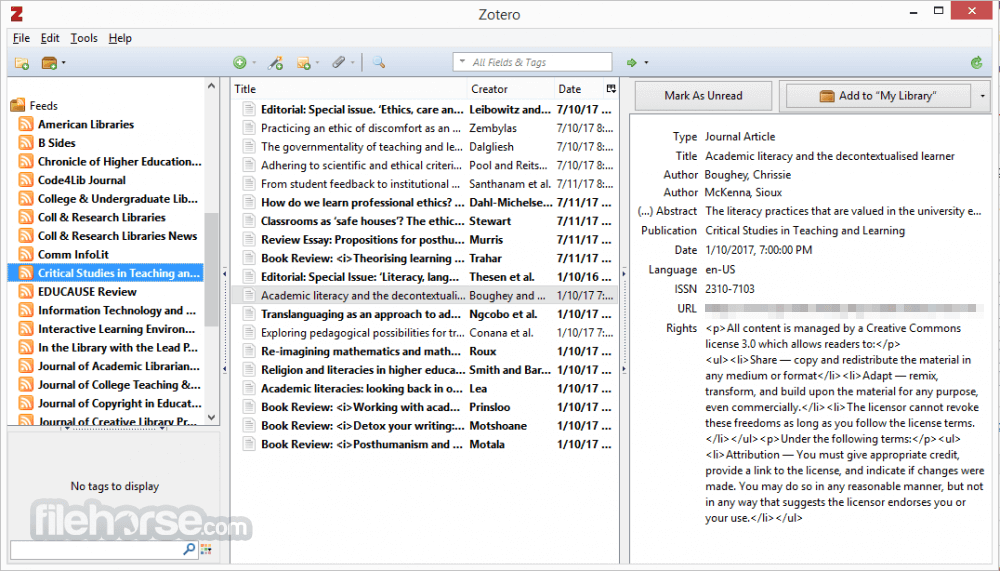
Zotero 10.0 Screenshots
The images below have been resized. Click on them to view the screenshots in full size.
What's new in this version:
Redesigned advanced search:
- Now opens directly above the items list via a button in the quick-search bar and can filter any view, including collections and saved searches
- Supports nested condition groups for complex searches
- Allows choosing a result level — top-level items, attachments, annotations, or notes — with conditions automatically mapped across levels
- Terms in the quick-search bar automatically populate advanced search with equivalent conditions
New search conditions:
- Annotation Type, Color, and Author
- Attachment Storage Type
- of Annotations, # of Attachments, # of Notes, # of Tags
- New “is empty”/”is not empty” operators
Accent-insensitive searching and other search improvements:
- Searches now ignore accents and typographic characters (“cafe” ? “café”, “can't” ? “can’t”)
- Much faster full-text content searches
- Chinese, Japanese, and Korean searches in the quick-search bar now match full phrases, much more quickly
- Faster, more reliable indexing of new attachment content
Multi-collection selection:
- Select multiple collections, saved searches, or even libraries in the collections pane to view all of their items together
- View, search, and interact with items across libraries, grouped by library with sticky headers as you scroll
- Cmd/Ctrl-A in the collections pane expands the selection to all rows within the same parent
Batch editing:
- Edit fields on multiple items at once
- Combine with in-window advanced search and multi-collection selection to find and fix metadata across one or more libraries
Undo support:
- Undo and redo many operations using Edit ? Undo/Redo or standard keyboard shortcuts
- Plugins can opt their operations into undo history
Smarter Read Aloud:
- Better skipping of in-text citations, headers, footers, tables, figures, and equations
- Paragraphs are read continuously across columns and pages
- Individual sentences are now highlighted as they’re read, with word and paragraph highlighting options available in the settings
- Faster startup for large documents
Reading Mode for PDFs:
- View PDFs as clean, reflowable text with adjustable font, size, and line spacing — no headers, footers, or multi-column layouts
- Images, tables, and figures are shown as rendered in the original PDF
- Highlight, underline, and add notes in Reading Mode, with annotations and reading position shared with the standard PDF view
Improved Zotero Connector for Safari:
- Adds support for various features previously available only for other browsers, such as automatic proxy detection and redirection
- Requires Safari 18 on macOS 13 Ventura or later; older macOS versions keep the previous connector
Reader improvements:
- Dramatically lower memory usage from reader tabs
- Much more precise EPUB position restoration (after closing and reopening the reader or resizing the window)
- EPUB/snapshot: Text-selection popup now appears closer to the mouse cursor
Citation dialog improvements:
- Citation preview pane
- Add all selected items on a + click in Library mode
- Show guidance about typing locators in input field
- Make collections pane resizable
Database-related improvements:
- Improved database write performance
- Automatically compact database to reduce disk-space usage
- Drop versioned database backups to reduce disk-space usage and force a regular backup before all database upgrades
- Fixed opening the database on network filesystems (e.g., SMB) on macOS/Linux
- [Mac] Support Word plugin installation on macOS 27 Golden Gate
- Fixed downloading of files over 2 GB (since Zotero 8)
- Changed Read Aloud keyboard shortcut to Cmd/Ctrl-Shift-L/R
- Allow “Annotate Sentence” panel to be move and remember position
- Show validation errors for file-renaming templates
- Fixed new profile not creating new data directory on Windows
- Added “Clear All Last Read Dates…” to Recently Read context menu
- Renamed “Sync” settings pane to “Account”
- Improved saving of files from PubMed Central
- Show Abstract section when merging items
- Keep “Add Item by Identifier” open if populated when app loses focus
- Added File menu options to note tabs
- Improved performance of large creator lists in item pane
- Reduced menu padding on Windows and Linux
- Don’t mark file as read when using Show File / Show in Finder
- Fixed system-handler detection for PDFs/EPUBs on Windows 11
- Encrypt API key and WebDAV password using OS keychain
- Automatically repair unusable login manager
- Skip retraction banner during initial sync on a new computer
- [Security] Updated Mozilla platform to 140.13.0esr
- Various other improvements and bug fixes
Developer-specific changes/fixes:
- Local API write support
- Instantaneous rebuilding after code changes
- Fixed profiler (Performance tab) in developer tools
 OperaOpera 135.0 Build 5973.133 (64-bit)
 LDPlayerLDPlayer - Android Emulator
 Adobe AcrobatAdobe Acrobat Pro 2026.002.21901
 MalwarebytesMalwarebytes Premium 5.7.0
 Premiere ProAdobe Premiere Pro CC 2026 26.5
 CapCutCapCut Desktop 9.3.0
 PC RepairPC Repair Tool 2026
 Hero WarsHero Wars - Online Action Game
 TradingViewTradingView - Trusted by 100 Million Traders
 WARDOGSWARDOGS - All Out Warfare FPS
Comments and User Reviews