




 WPS Office
 BookFab
 Genspark AI
 PDFelement
 Edraw AI
 Adobe Acrobat
-
Latest Version
OriginPro - Data Analysis and Graphing Software LATEST
-
Review by
-
Operating System
Windows 7 / Windows 8 / Windows 10 / Windows 11
-
User Rating
Click to vote -
Author / Product
Origin is an advanced interactive scientific-graphing and data analysis application developed by OriginLab Corporation for use by scientists and engineers in large companies, education organizations, medical laboratories, and government offices all around the world.
With a streamlined interface for beginners and a large set of tools and services for seasoned researchers, this advanced data exploration platform is capable of providing reliable, real-time, interactive, and in-depth analysis of large data sets.
All of its findings can be showcased with powerful graphing presentations that are fully publication-ready.
Originally released in 1992, this professional application has so far received more than 20 significant upgrades that have dramatically expanded its capabilities.

Today, the latest version of Origin - Data Analysis and Graphing Software for PC (and its more capable version OriginPro) has been enhanced with extensive tools for Graphing (more than 100 built-in graph types, fully customizable and export-ready), data exploration and processing, batch processing, exploratory analysis, peak analysis, curve, and surface fitting, statistics, mathematics, signal processing, project and data management, exploration and presentation, import/export, and more.
The tool has full compatibility with some of the world's most popular productivity and data collection apps, including full precision copy and pasting from Microsoft Excel and its associated file extensions (XLS, XLSX & XLSM).
As a bonus, users also have an option to extend the capabilities of the app by installing and linking external apps, which are focused on fields of graphing, data analysis, and more.
Origin, and its much more capable version Origin Pro, are both available for purchase under a wide variety of licenses (Academic, Student, Commercial, Government, Non-profit, node-locked, and concurrent-network), but the entire non-limited app can also be tested via a 21-day FREE TRIAL license.
Features and Highlights

You can enhance Origin's functionality by installing free Apps from our website.
Additionally, Origin connects seamlessly with applications like MATLAB™, LabVIEW™, and Microsoft® Excel, and allows you to create custom routines within Origin using scripting, C languages, embedded Python, or the R console.
FAQs
What is OriginPro, and how does it differ from regular Origin?
OriginPro is the advanced version of Origin that includes all the graphing and analysis features of Origin, plus extra tools for peak fitting, surface fitting, statistical tests, signal processing, and image analysis.
What types of graphs and plots can I make with OriginPro?
You can create 2D, 3D, and contour graphs using over 70 built-in graph templates, and you also have full control over graph customization and layout.
Can I perform complex curve fitting and regression analyses in OriginPro?
Yes, OriginPro supports more than 150 built-in fitting functions, as well as nonlinear and orthogonal distance regression, plus tools to compare and rank multiple fitting models.
Does OriginPro support scripting or automation?
It does, you can use Origin C or LabTalk (its scripting language) to automate tasks, and it can also act as an Automation Server for languages like C#, VB, or C++.
Can I analyze statistical data and signal processing with OriginPro?
Absolutely, OriginPro offers advanced statistics (ANOVA, non-parametric tests, power/sample-size), signal processing (FFT, smoothing, wavelet transforms), and more.
What are some of the new features in recent versions of OriginPro?
In version 9.1 and newer, OriginPro added new graph types (like Piper diagrams, 3D waterfall plots), batch plotting/analysis, auto-label positioning, and advanced regression and integration tools.
Installation and Use
This software and all of its tools and services are distributed to end-users in an installation archive that clocks in at around 1.5GB in size. Even though the app itself is large, it does not require strong PC hardware resources to run.
Developers recommend that Origin and Origin Pro be used on PCs with at least a 1GHz processor, 4GB of RAM, and 2 GB of free storage space (only for the app, not for the datasets that will be imported to it).
The program is fully compatible and optimized for use on modern versions of Windows OS (7, 8, 8.1, 10, or 11).
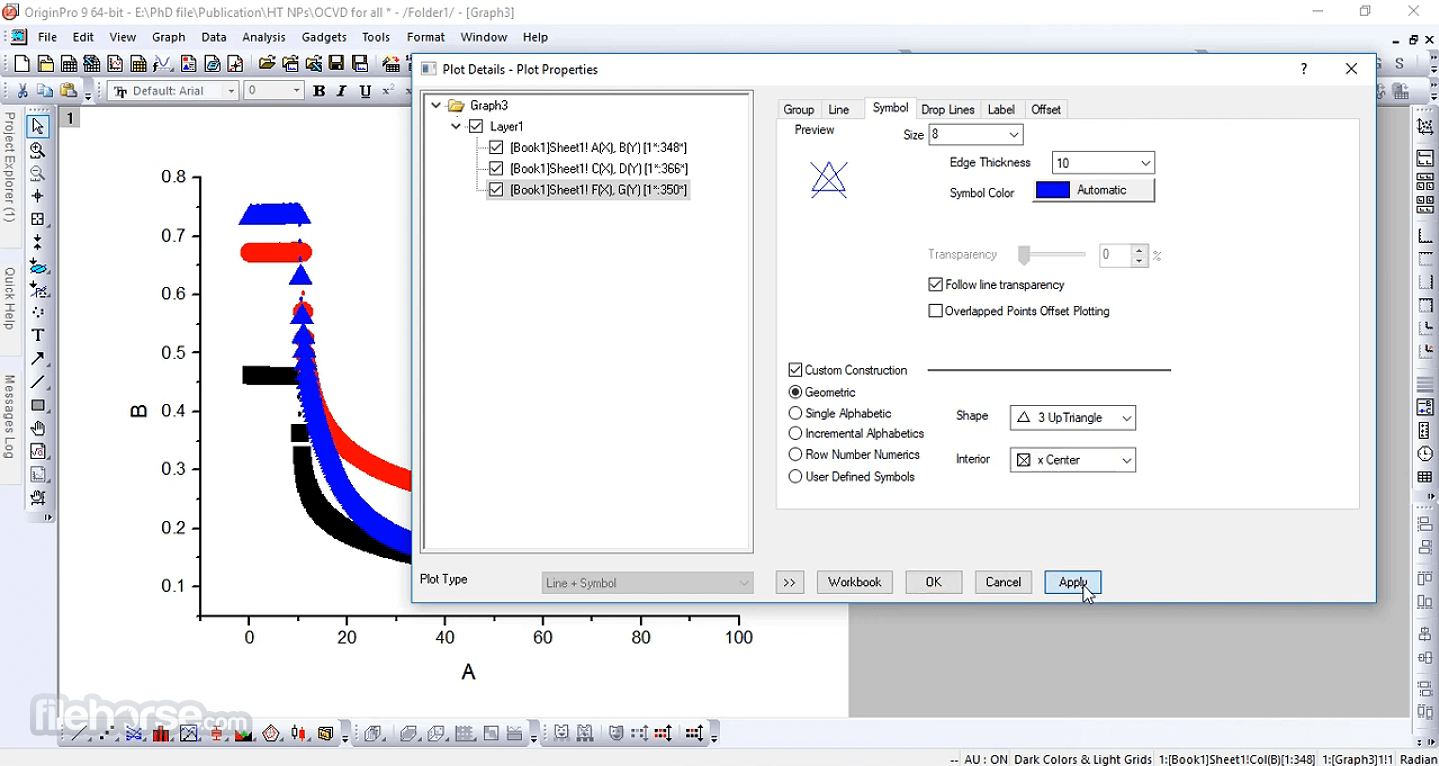
The user interface of the app is busy with all the available tools, but such an abundance of tools is acceptable for this high-end application, intended to be a reliable, world-class data analysis software.
In addition to dry and scientific UI elements, the app also has a surprising number of eye-catching elements, such as visually pleasing ways to showcase all the available graphing options (which are showcased, for example, in the Origin Central area, where you can choose to open a brand-new Graph Samples project).
PROS
With a streamlined interface for beginners and a large set of tools and services for seasoned researchers, this advanced data exploration platform is capable of providing reliable, real-time, interactive, and in-depth analysis of large data sets.
All of its findings can be showcased with powerful graphing presentations that are fully publication-ready.
Originally released in 1992, this professional application has so far received more than 20 significant upgrades that have dramatically expanded its capabilities.
Today, the latest version of Origin - Data Analysis and Graphing Software for PC (and its more capable version OriginPro) has been enhanced with extensive tools for Graphing (more than 100 built-in graph types, fully customizable and export-ready), data exploration and processing, batch processing, exploratory analysis, peak analysis, curve, and surface fitting, statistics, mathematics, signal processing, project and data management, exploration and presentation, import/export, and more.
The tool has full compatibility with some of the world's most popular productivity and data collection apps, including full precision copy and pasting from Microsoft Excel and its associated file extensions (XLS, XLSX & XLSM).
As a bonus, users also have an option to extend the capabilities of the app by installing and linking external apps, which are focused on fields of graphing, data analysis, and more.
Origin, and its much more capable version Origin Pro, are both available for purchase under a wide variety of licenses (Academic, Student, Commercial, Government, Non-profit, node-locked, and concurrent-network), but the entire non-limited app can also be tested via a 21-day FREE TRIAL license.
Features and Highlights
- Powerful and full-featured data analysis and visualization software optimized for high-end scientific, education, and engineering projects.
- One-stop solution for hypothesis testing, model development and verification, and data analysis.
- Over 100 Built-in Graph Templates
- Streamlined interface for both novices and seasoned users.
- Data, signal, and batch processing.
- Peak, exploratory, and data statistics.
- Comprehensive import/export functions for both data sets and visualization results.
- Optimized for modern versions of Windows OS (11, 10, 8, or 7).
- Modest system requirements.
- Available for FREE via a 21-day trial demo.
You can enhance Origin's functionality by installing free Apps from our website.
Additionally, Origin connects seamlessly with applications like MATLAB™, LabVIEW™, and Microsoft® Excel, and allows you to create custom routines within Origin using scripting, C languages, embedded Python, or the R console.
FAQs
What is OriginPro, and how does it differ from regular Origin?
OriginPro is the advanced version of Origin that includes all the graphing and analysis features of Origin, plus extra tools for peak fitting, surface fitting, statistical tests, signal processing, and image analysis.
What types of graphs and plots can I make with OriginPro?
You can create 2D, 3D, and contour graphs using over 70 built-in graph templates, and you also have full control over graph customization and layout.
Can I perform complex curve fitting and regression analyses in OriginPro?
Yes, OriginPro supports more than 150 built-in fitting functions, as well as nonlinear and orthogonal distance regression, plus tools to compare and rank multiple fitting models.
Does OriginPro support scripting or automation?
It does, you can use Origin C or LabTalk (its scripting language) to automate tasks, and it can also act as an Automation Server for languages like C#, VB, or C++.
Can I analyze statistical data and signal processing with OriginPro?
Absolutely, OriginPro offers advanced statistics (ANOVA, non-parametric tests, power/sample-size), signal processing (FFT, smoothing, wavelet transforms), and more.
What are some of the new features in recent versions of OriginPro?
In version 9.1 and newer, OriginPro added new graph types (like Piper diagrams, 3D waterfall plots), batch plotting/analysis, auto-label positioning, and advanced regression and integration tools.
Installation and Use
This software and all of its tools and services are distributed to end-users in an installation archive that clocks in at around 1.5GB in size. Even though the app itself is large, it does not require strong PC hardware resources to run.
Developers recommend that Origin and Origin Pro be used on PCs with at least a 1GHz processor, 4GB of RAM, and 2 GB of free storage space (only for the app, not for the datasets that will be imported to it).
The program is fully compatible and optimized for use on modern versions of Windows OS (7, 8, 8.1, 10, or 11).
The user interface of the app is busy with all the available tools, but such an abundance of tools is acceptable for this high-end application, intended to be a reliable, world-class data analysis software.
In addition to dry and scientific UI elements, the app also has a surprising number of eye-catching elements, such as visually pleasing ways to showcase all the available graphing options (which are showcased, for example, in the Origin Central area, where you can choose to open a brand-new Graph Samples project).
PROS
- Extensive Data Analysis Tools
- High-Quality Graphing Options
- Customizable Graphs and Reports
- User-Friendly Interface
- Wide Range of Import Formats
- Expensive Licensing Fees
- Limited Collaboration Features
- Resource-Intensive on Older PCs
- Limited Mac Compatibility
Why is this app published on FileHorse? (More info)
-
OriginPro - Data Analysis and Graphing Software Screenshots
The images below have been resized. Click on them to view the screenshots in full size.

-

-
-
-
 OperaOpera 129.0 Build 5823.15 (64-bit)
 Kling AIKling AI - Text or Image to Video
 PhotoshopAdobe Photoshop CC 2026 27.4 (64-bit)
 BlueStacksBlueStacks 10.42.167.1001
 OKXOKX - Buy Bitcoin or Ethereum
 CapCutCapCut 7.9.0
 PC RepairPC Repair Tool 2026
 Hero WarsHero Wars - Online Action Game
 TradingViewTradingView - Trusted by 100 Million Traders
 AdGuard VPNAdGuard VPN 2.9.0
Comments and User Reviews